
Connect the actuator of an app
Mortise reads the runtime status, the routes, the scheduled tasks and the metrics of a running app from its actuator, over HTTP. This is optional. What it gives per module is in About the runtime per module.
Set up the app
Section titled “Set up the app”-
Check the versions. The app needs:
nwidart/laravel-modules13.4 or later, for the health indicators of each module.nwidart/laravel-actuator1.3 or later.nwidart/laravel-metrics, for the Metrics tab. Mortise is tested with 1.1.
-
Install the packages and publish their configuration, in the app folder:
Terminal window composer require 'nwidart/laravel-modules:^13.4' 'nwidart/laravel-actuator:^1.3' 'nwidart/laravel-metrics:^1.1' -Wphp artisan vendor:publish --tag=actuator-configphp artisan vendor:publish --tag=metrics-config -
In
config/actuator.php, add the endpoints Mortise reads toexposure.include, next tohealth:'exposure' => ['include' => ['health', 'info', 'mappings', 'scheduledtasks', 'prometheus'],],Do not expose
env. Mortise never asks for it. -
If you want the components of the health status, set
health.show_detailstowhen_authorizedoralwaysinconfig/actuator.php. It is off by default. -
In the
.envof the app, turn on the metrics and choose a store:METRICS_ENABLED=trueMETRICS_STORE=cache -
Start the app, and note its base URL, such as
APP_URLin.env.
Add the environment in Mortise
Section titled “Add the environment in Mortise”-
Open Settings with Ctrl , (Cmd , on macOS), choose Apps, and select the app. The runtime box of the Summary also offers Add environment.
-
Under Environments of your app, press Add environment. Mortise names the first one
local, and fills Base URL fromAPP_URLin.env. -
Correct Name, Base URL and Actuator path if needed. The path is
actuatorby default. Mortise saves a field when you leave it. -
Choose the Credentials, as the app’s middleware asks for them:
- None for a local app whose actuator is open.
- Bearer token: type the Token. It is sent as
Authorization: Bearer. - HTTP basic: type the User name and the Password.
- Custom header: type the Header name and the Header value.
Mortise saves the secret to the credential store of the operating system when you leave the field. The field then says “Saved. Not shown again.”
The secret goes to the Keychain.
The secret goes to the Credential Manager.
The secret goes to the Secret Service. If no credential store is running, Mortise says so and keeps the secret until it closes.
-
Press Test. Mortise asks the actuator once and shows what it exposes.
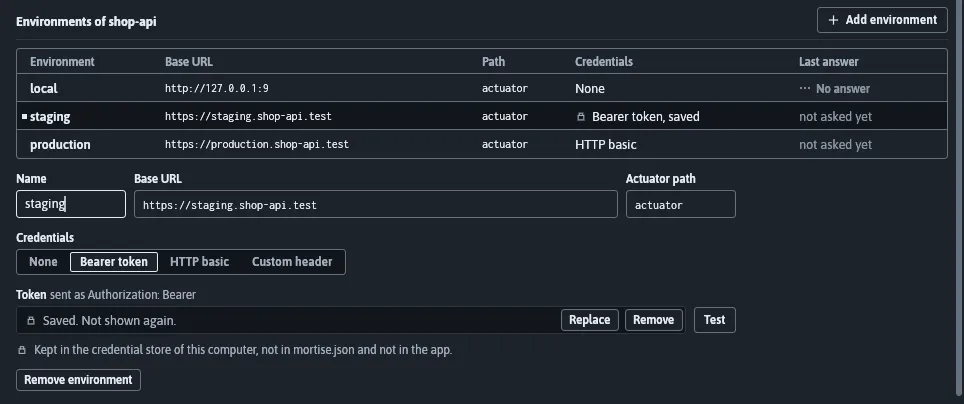
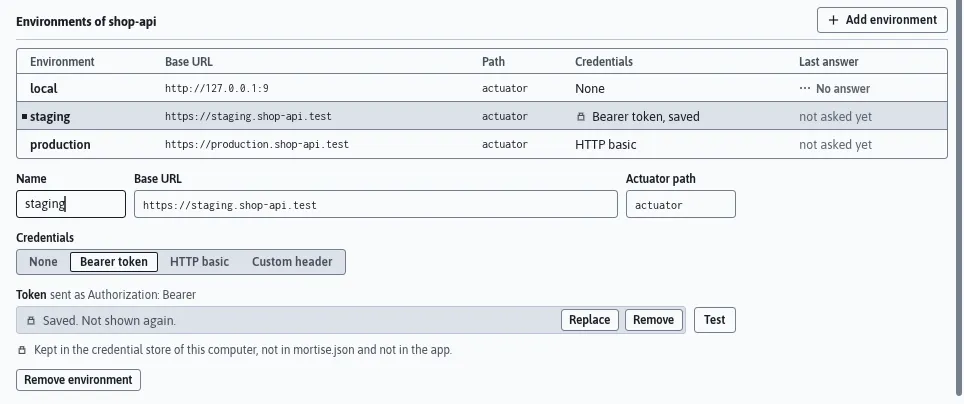
The column Last answer shows how the environment answered. The Summary of a module shows its runtime box, and the Metrics tab reads its figures.
To change a secret, press Replace and type the new one. To forget it, press Remove. If the test fails, the message says what happened and what to correct, such as the base URL or the actuator path.
The endpoints Mortise asks for are in Actuator endpoints. Where the secret lives is in Files and folders.