
Boundary
The Boundary tab is the second tab of the workspace (2).
It shows the links between modules and the rules they are checked against.
A link is one module using another: Mortise finds it in the use statements and the fully qualified class names
of the PHP files of each module. Reading needs no PHP.
Why the rules exist is in About boundaries.
An app has three rules. The first two are on by default. The third checks nothing until mortise.json gives a module a list.
| Rule | Breaks when |
|---|---|
| No circular use | Modules use each other, directly or in a circle of three or more |
| Other modules use only a module’s public surface | A file of one module reads a class of another module outside its public surface. A module with an accepted surface offers the classes it lists. A module without one offers its public folders. The default folders are Contracts and Events |
| A module uses only the modules of its list | A module with a list in rules.allowed-use uses a module that its list does not name. A module without a list is not checked. The lists are written in mortise.json |
A module that is off does not run, so its links break no rule.
The rules are kept in mortise.json in the app folder. See mortise.json.
If mortise.json cannot be read as rules, the tab says
“mortise.json is not valid: …. The default rules apply until it is corrected.”
One module
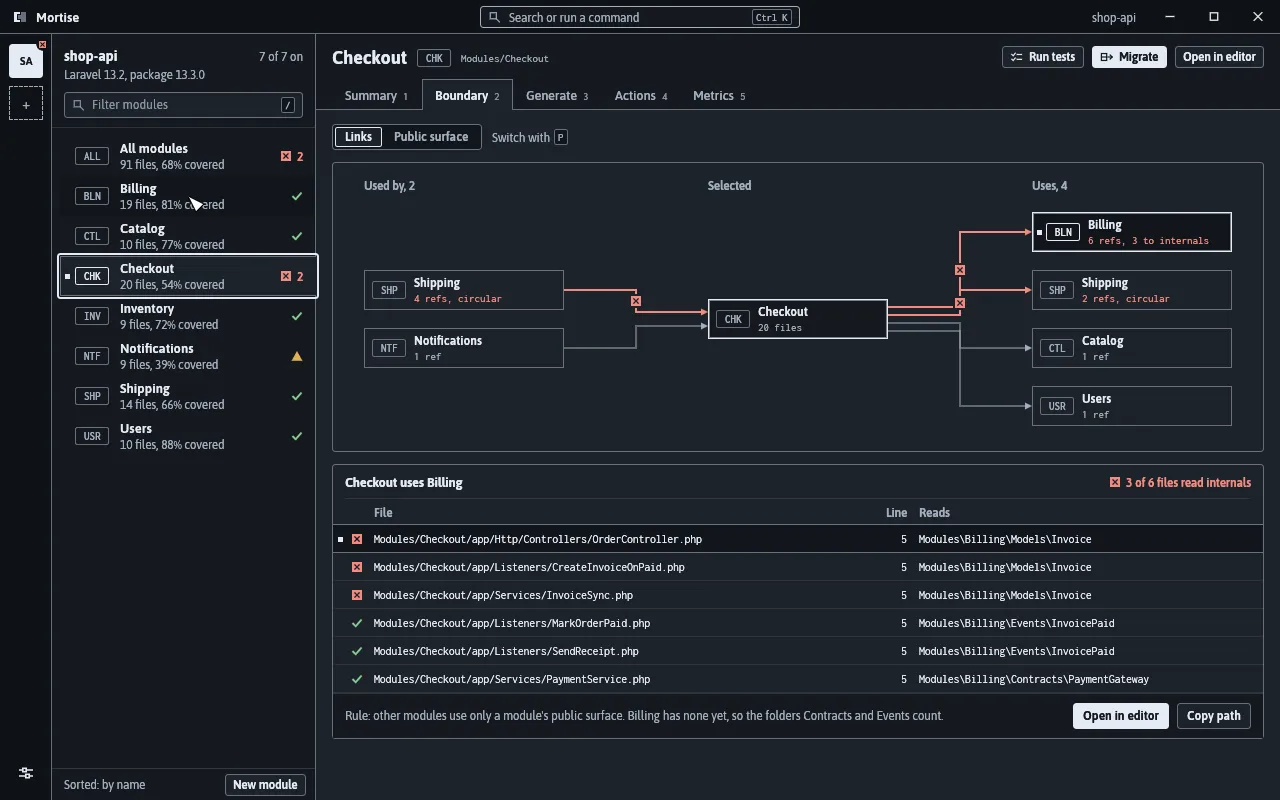
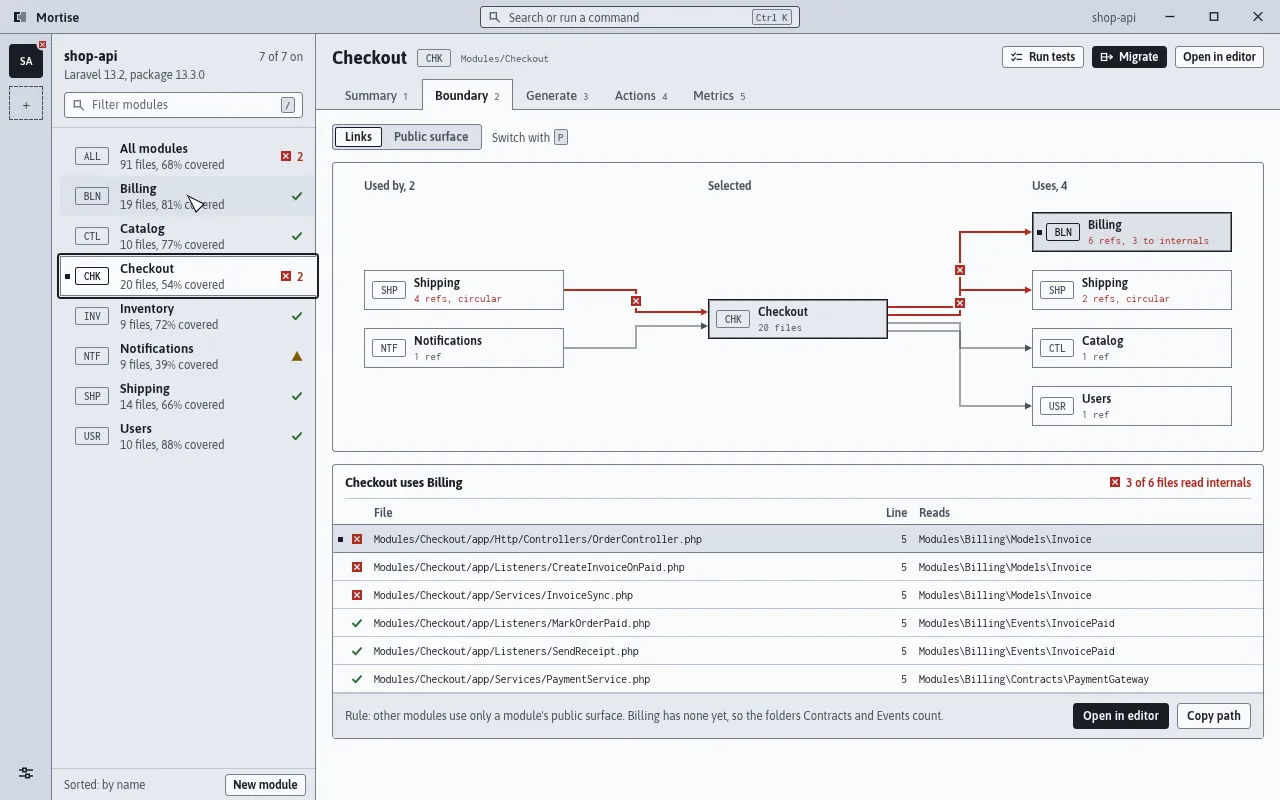
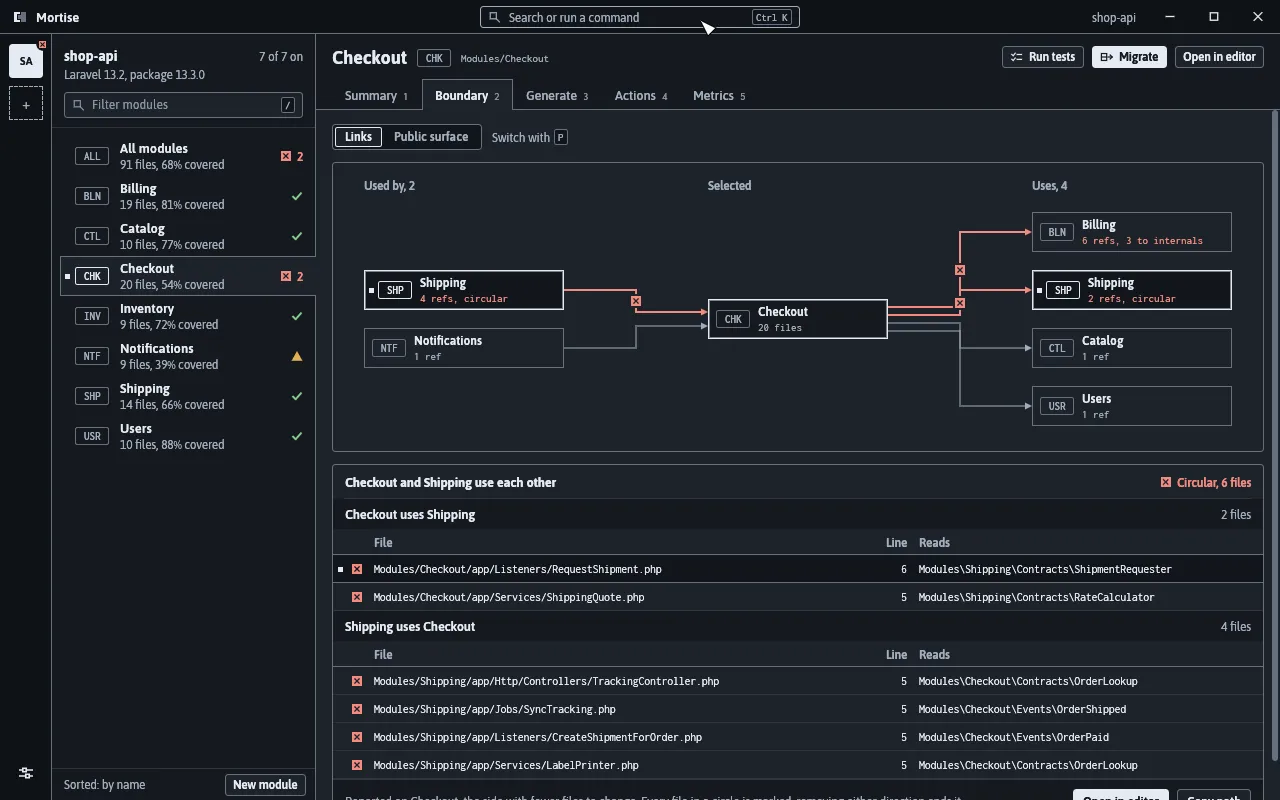
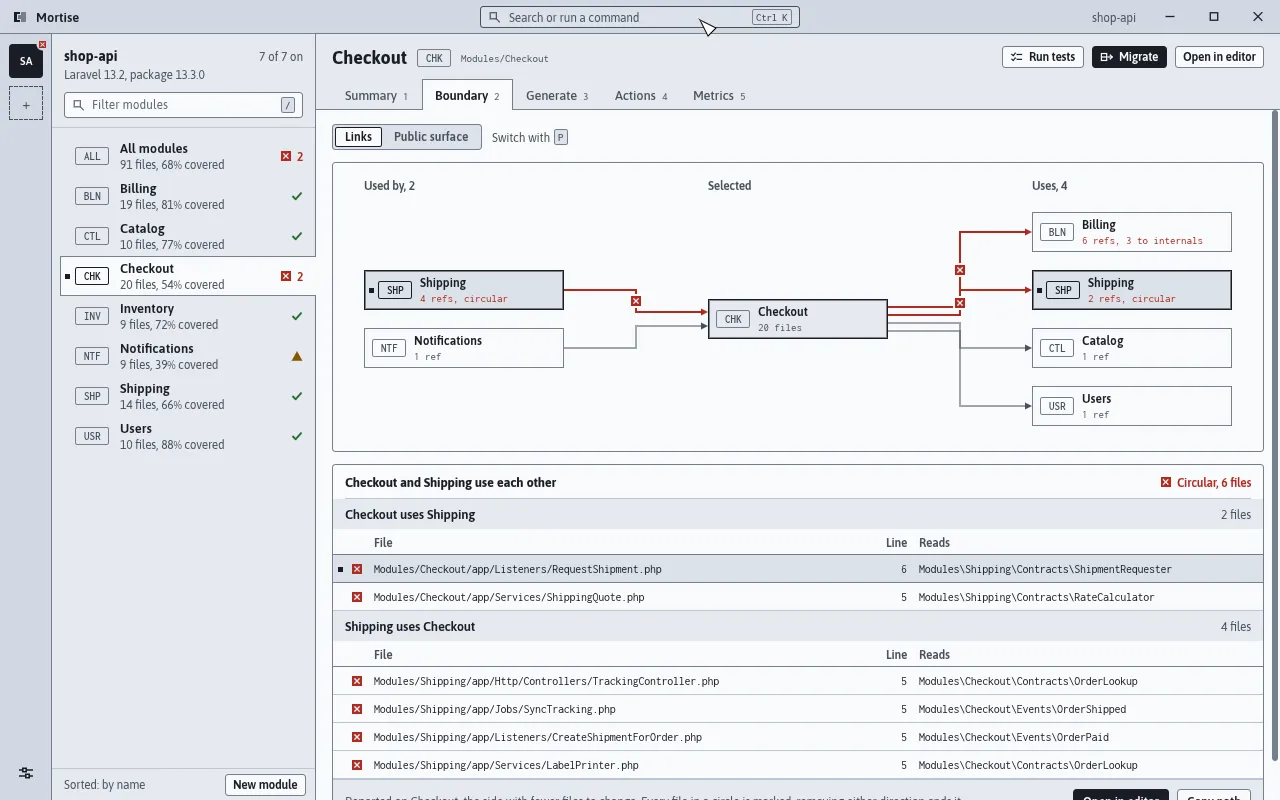
Section titled “One module”With a module selected, the tab shows a graph of its links and the files of one link.
| Column | Caption | Holds |
|---|---|---|
| Left | “Used by, 2” | The modules that use this one |
| Middle | Selected | The module, with its number of files |
| Right | “Uses, 4” | The modules this one uses |
Each neighbour node has its code stamp, its name when it fits, and a second line such as “6 refs, 3 to internals”, “2 refs, circular” or “2 refs, outside its list”. The arrow points at the module that is used. A link that breaks a rule is 2 px, in the problem colour, and carries a problem mark on the line.
At most eight nodes stand on one side. With more neighbours, the seven with the most references are drawn and an eighth node reads “12 more”. Links that break a rule come first, so the “more” node never hides one.
A module with no link says “Checkout uses no other module, and no other module uses it.”
Files of a link
Section titled “Files of a link”Under the graph are the files of the link with the selected neighbour. The first link that breaks a rule is selected at first.
The head names the link and how much of it breaks a rule:
| Link | Head |
|---|---|
| One way, reads internals | “Checkout uses Billing” and “3 of 6 files read internals” |
| One way, breaks nothing | “Checkout uses Billing” and “6 files” |
| Two modules that use each other | “Checkout and Shipping use each other” and “Circular, 6 files” |
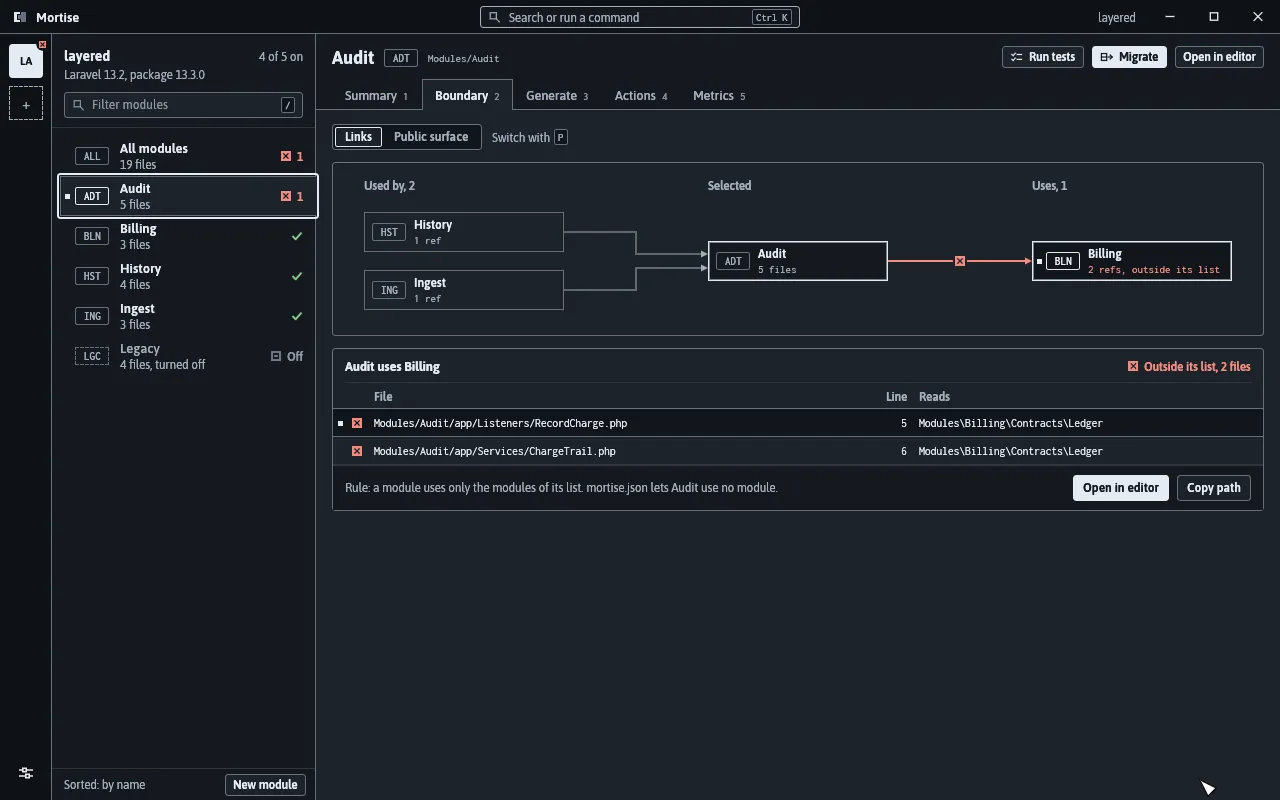
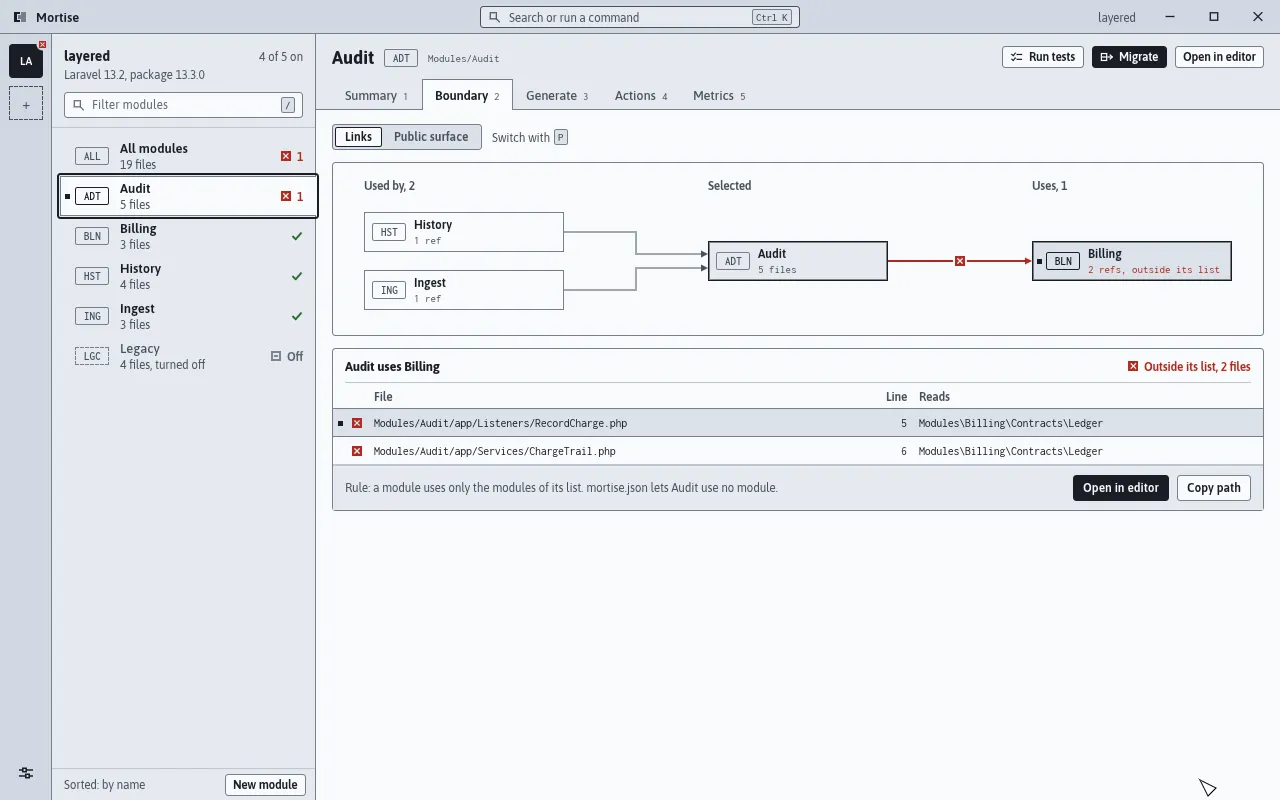
| One way, outside the list of the module | “Audit uses Billing” and “Outside its list, 2 files” |
The table has the columns File, Line and Reads. Files that break the rule come first and carry the problem mark. For a circle, every file is marked: removing either direction ends it. For a link outside the list of its module, every file is marked too.
The footer gives the rule of the link and two buttons:
- For a link that reads internals: “Rule: other modules use only a module’s public surface. Billing has none yet, so the folders Contracts and Events count.” When the used module has an accepted surface: “Rule: other modules use only a module’s public surface. Where Billing has an accepted one, only what it lists counts.”
- For a link outside the list of its module: “Rule: a module uses only the modules of its list. mortise.json lets Audit use no module.” With a list: “… mortise.json lets History use Audit and Billing only.”
- For a circle of two: “Reported on Checkout, the side with fewer files to change. Every file in a circle is marked: removing either direction ends it.”
- For a circle of three or more: “Reported on Checkout, the module of the circle with the fewest files to change. Every file of a link in a circle is marked.”
- Open in editor with Enter: opens the selected file at its line.
- Copy path: copies the path of the selected file and says “Copied the path.”
All modules, up to 12 modules
Section titled “All modules, up to 12 modules”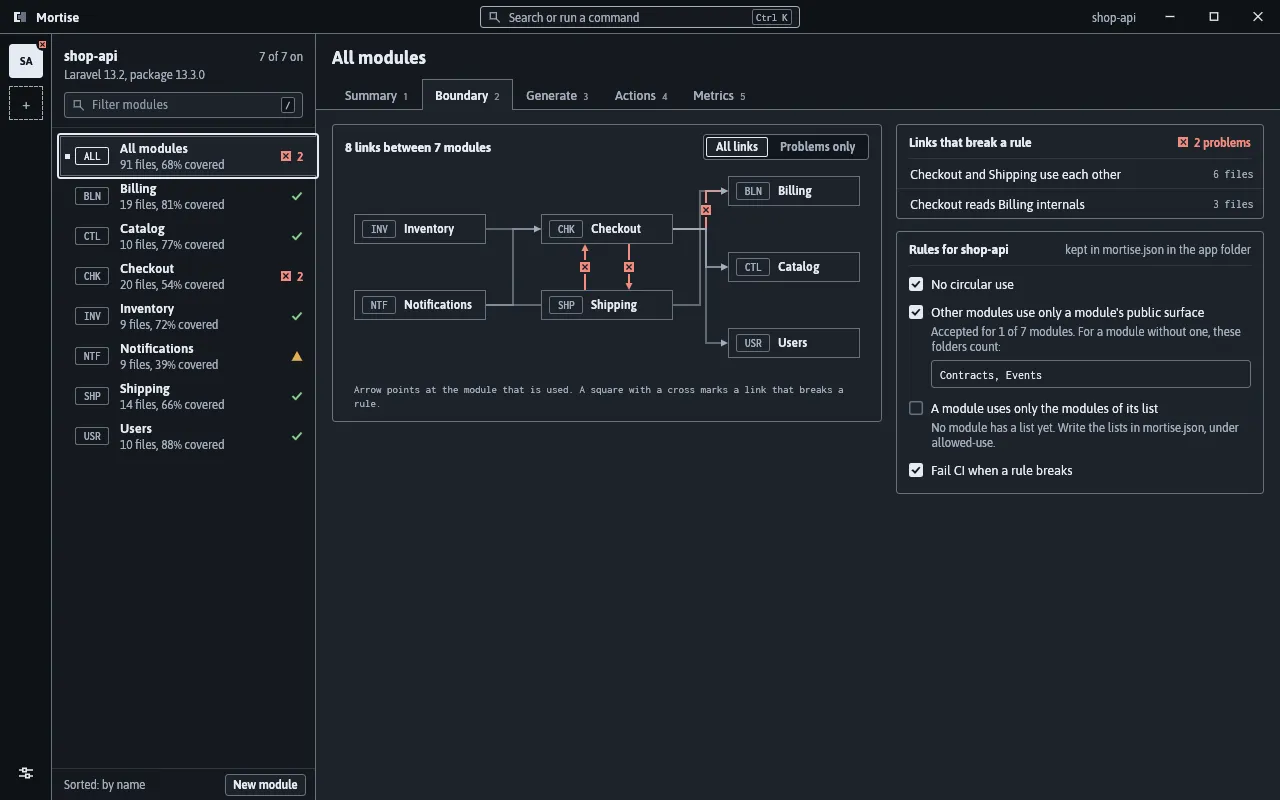
App graph
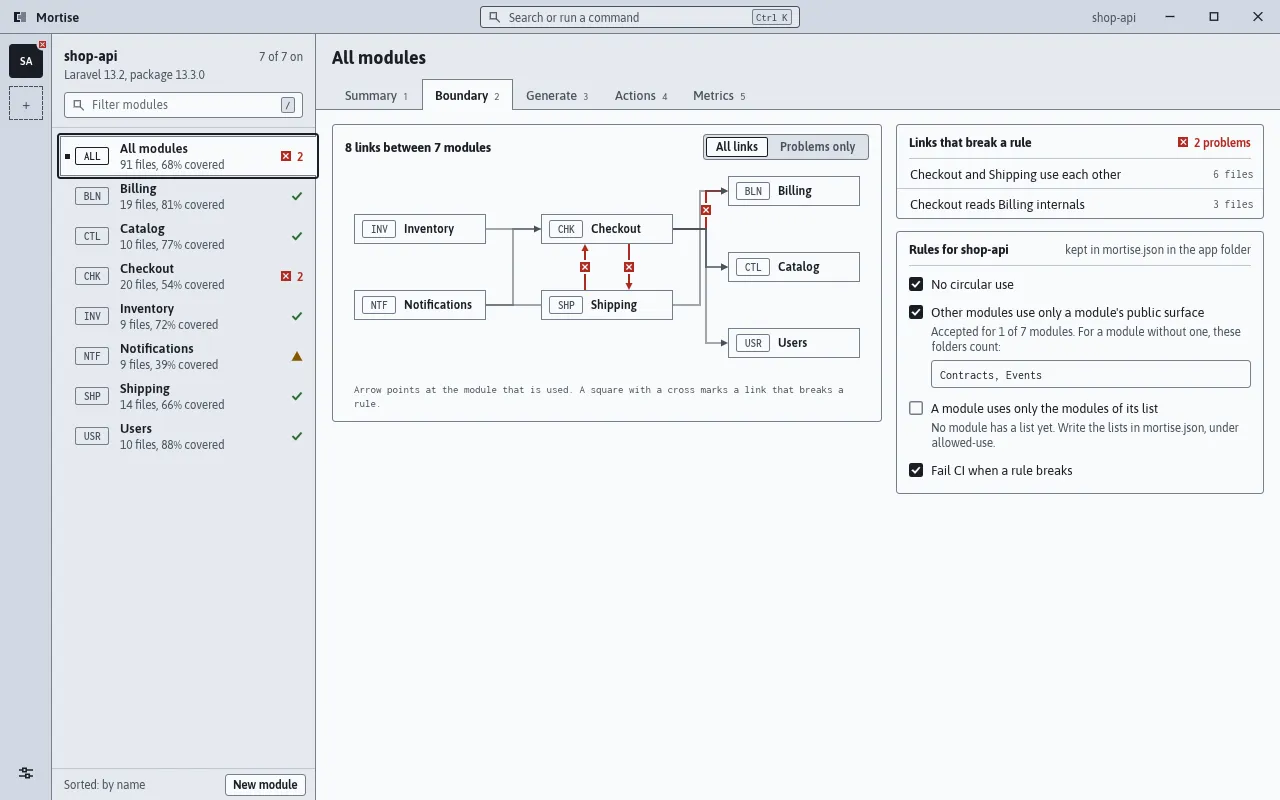
Section titled “App graph”The head reads “9 links between 7 modules”, with the switch All links or Problems only. Modules stand in columns from left to right: a module sits left of what it uses. Modules in a circle share a column. When the columns need more room than the tab has, the graph scrolls sideways. The caption reads “Arrow points at the module that is used. A square with a cross marks a link that breaks a rule.”
An app whose modules do not use each other says “No module of shop-api uses another.”
Links that break a rule
Section titled “Links that break a rule”A box with one row per broken rule: a circle once (“Checkout and Shipping use each other”), each link that reads internals (“Checkout reads Billing internals”) and each link outside the list of its module (“Audit uses Billing outside its list”), with the number of files. Without one it says “No link breaks a rule.” J and K move through the rows. Enter opens the Boundary of the first module on that link.
Rules box
Section titled “Rules box”Titled “Rules for shop-api”, with the note “kept in mortise.json in the app folder”.
| Control | What it does |
|---|---|
| No circular use | Turns the first rule on or off |
| Other modules use only a module’s public surface | Turns the second rule on or off. Under it: “Accepted for 1 of 7 modules. For a module without one, these folders count:” and a field with the folders |
| A module uses only the modules of its list | Turns the third rule on or off. It writes rules.allowed-use.enabled and keeps the lists. Under it: “3 of 5 modules have a list in mortise.json. A module without one is not checked.” Without the key it is off and says “No module has a list yet. Write the lists in mortise.json, under allowed-use.” The lists are edited in the file |
| Fail CI when a rule breaks | On by default. Writes ci.fail in mortise.json. On, mortise check exits 1 when a rule breaks; off, it reports and exits 0 |
The first change of any of the four asks before Mortise creates mortise.json: “Create mortise.json in shop-api?” with Create mortise.json.
If the file cannot be written: “The rules were not saved: ….”
All modules, above 12 modules
Section titled “All modules, above 12 modules”Above 12 modules the app graph gives way to a table of links.
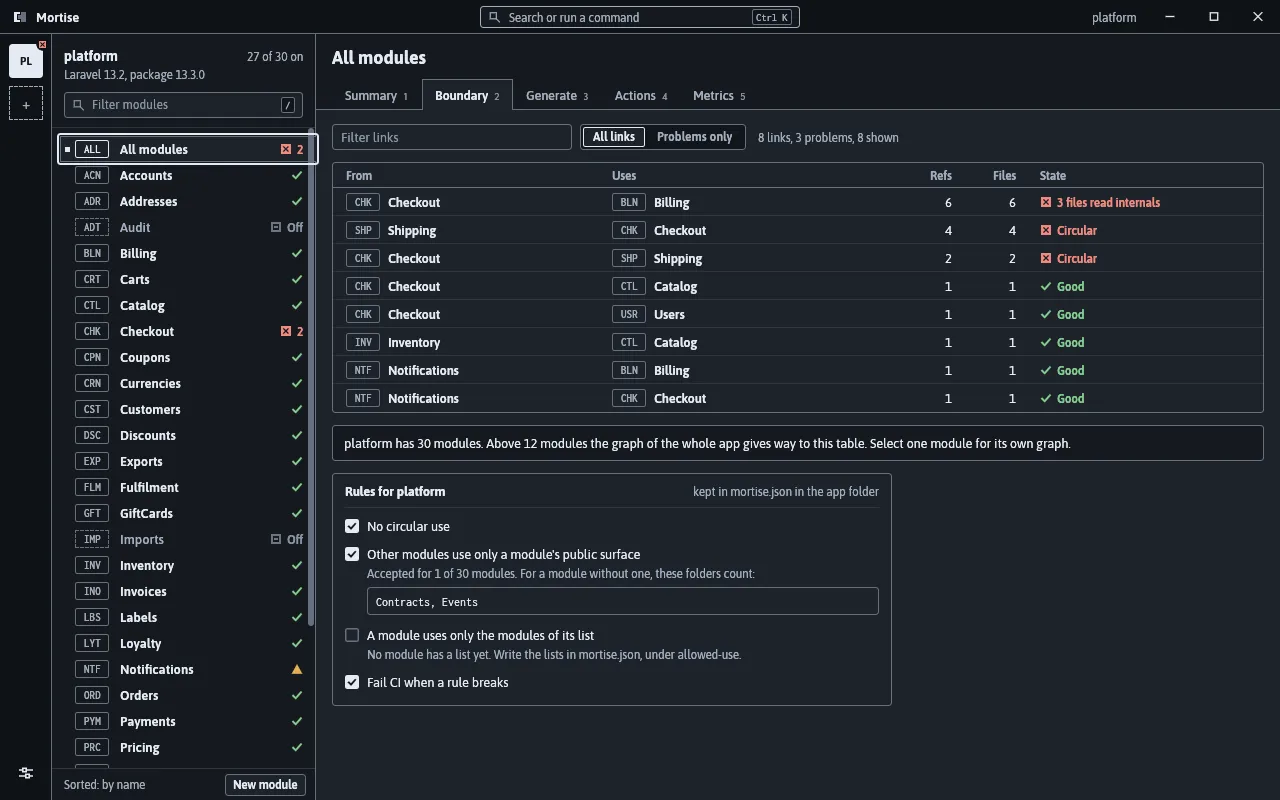
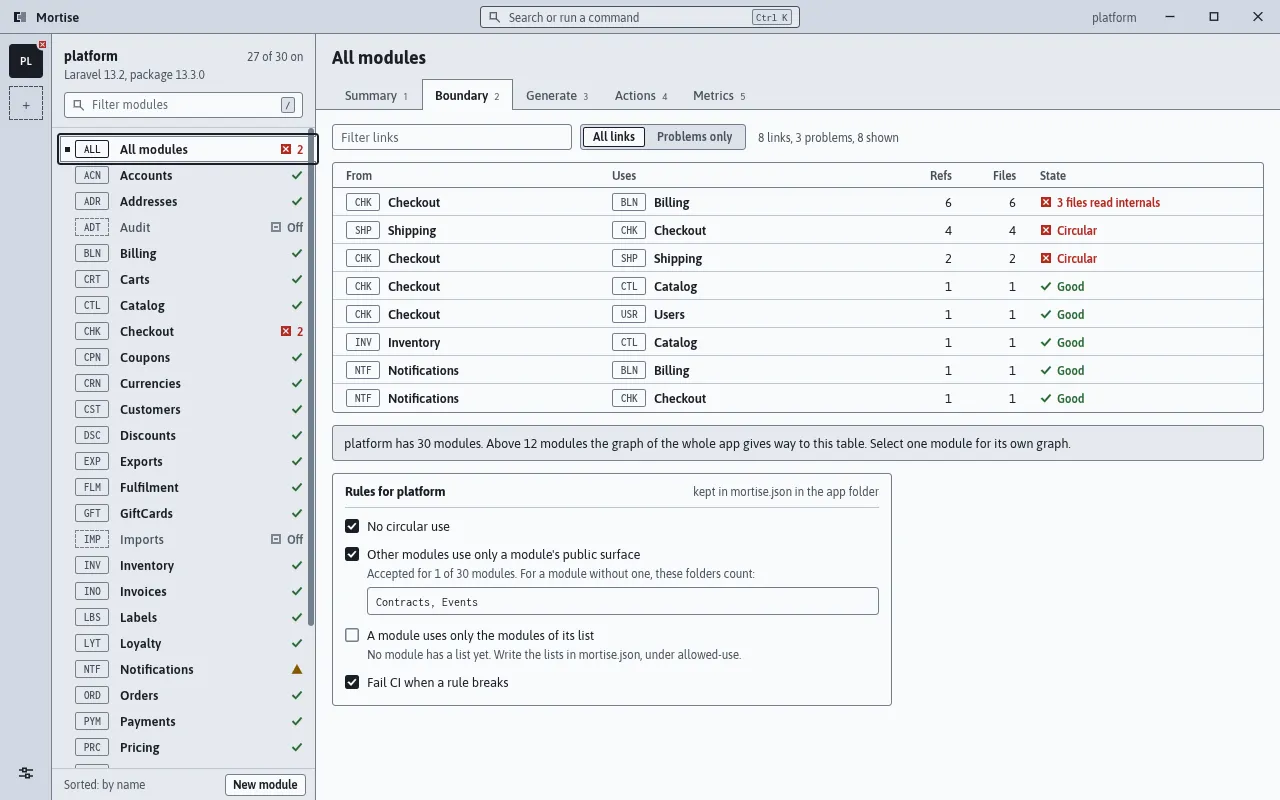
The note reads “platform has 60 modules. Above 12 modules the graph of the whole app gives way to this table. Select one module for its own graph.”
| Control or column | What it is |
|---|---|
| Filter links | A field that filters the rows |
| All links, Problems only | Which links the table lists |
| Count | “214 links, 5 problems, 14 shown” |
| From | The module that uses |
| Uses | The module that is used |
| Refs | The number of references |
| Files | The number of files |
| State | Circular, “3 files read internals”, “Outside its list”, or Good |
Problems come first, then the links with the most references. The rules box stands under the table.
Public surface view
Section titled “Public surface view”A module has a second view: its public surface. The surface is what something outside the module may use: classes for other modules, routes for HTTP clients, and console commands for the command line and the scheduler. The control View switches between Links and Public surface. P does the same.
Not scanned yet
Section titled “Not scanned yet”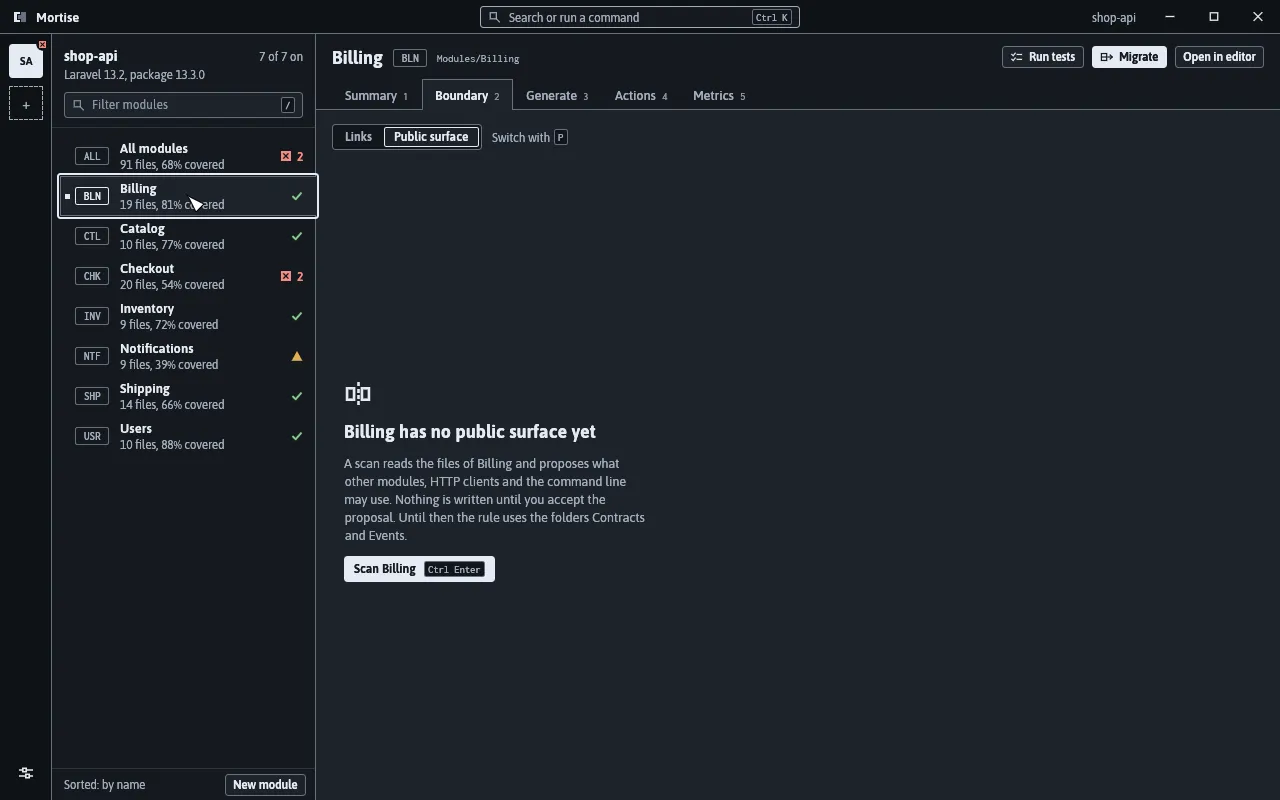
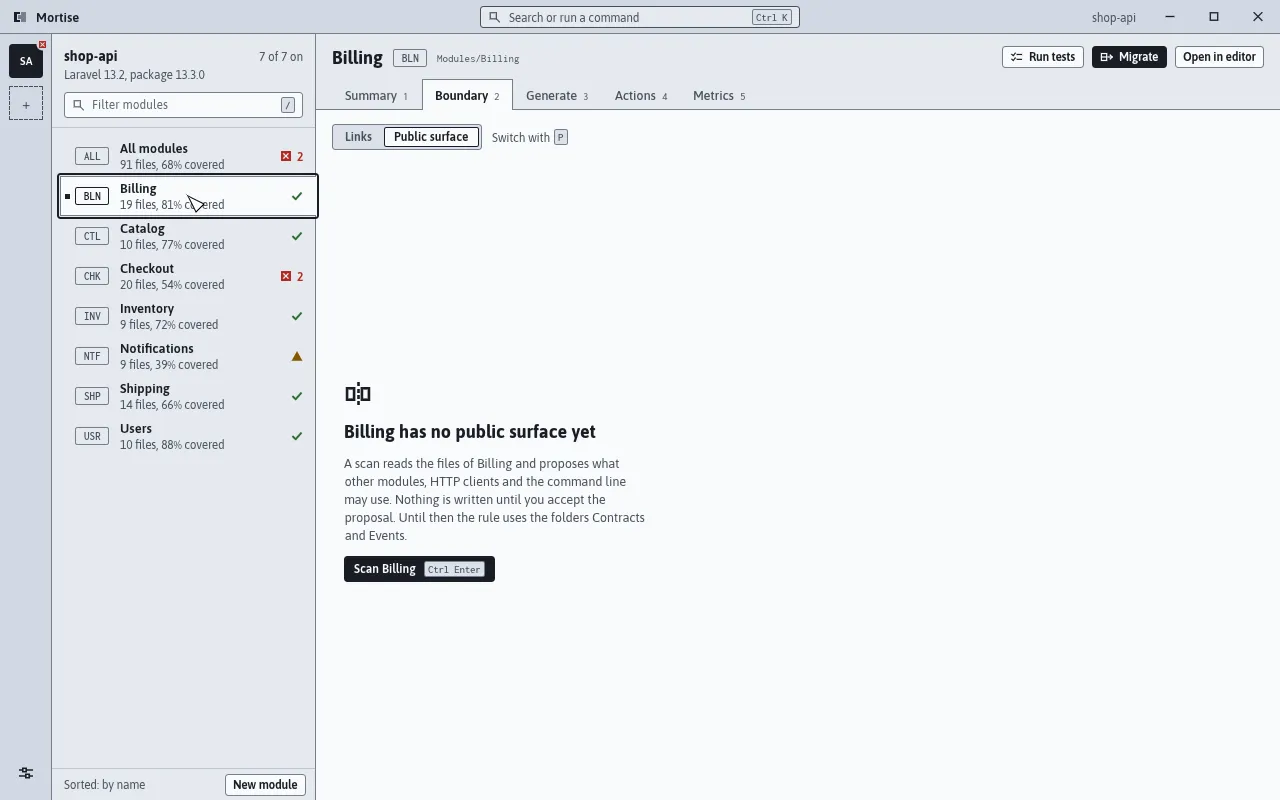
The title reads “Billing has no public surface yet”. The text says what a scan reads and that “Nothing is written until you accept the proposal.” It names the folders the rule uses until then. The button Scan Billing starts the scan. Ctrl Enter (Cmd Enter on macOS) and the palette row “Scan the public surface of Billing” do the same. A scan never starts by itself.
Scanning
Section titled “Scanning”The view shows “Scanning Billing”, the note “nothing is written”, a bar “Reading 61 of 96 files” and one line per kind of thing it looks for. Stop the scan, or Esc, stops it. A scan writes nothing.
| Kind | Where it comes from |
|---|---|
| Classes that other modules use | The links Mortise already has |
| Contracts | Interfaces declared in the module |
| Events | Classes in the events folder of the module |
| Console commands | Command classes of the module, with the name in their signature |
| Routes | The mappings of a connected environment. Without them: “Routes were not read. Connect an environment or set how PHP runs, then scan again.” |
Proposal
Section titled “Proposal”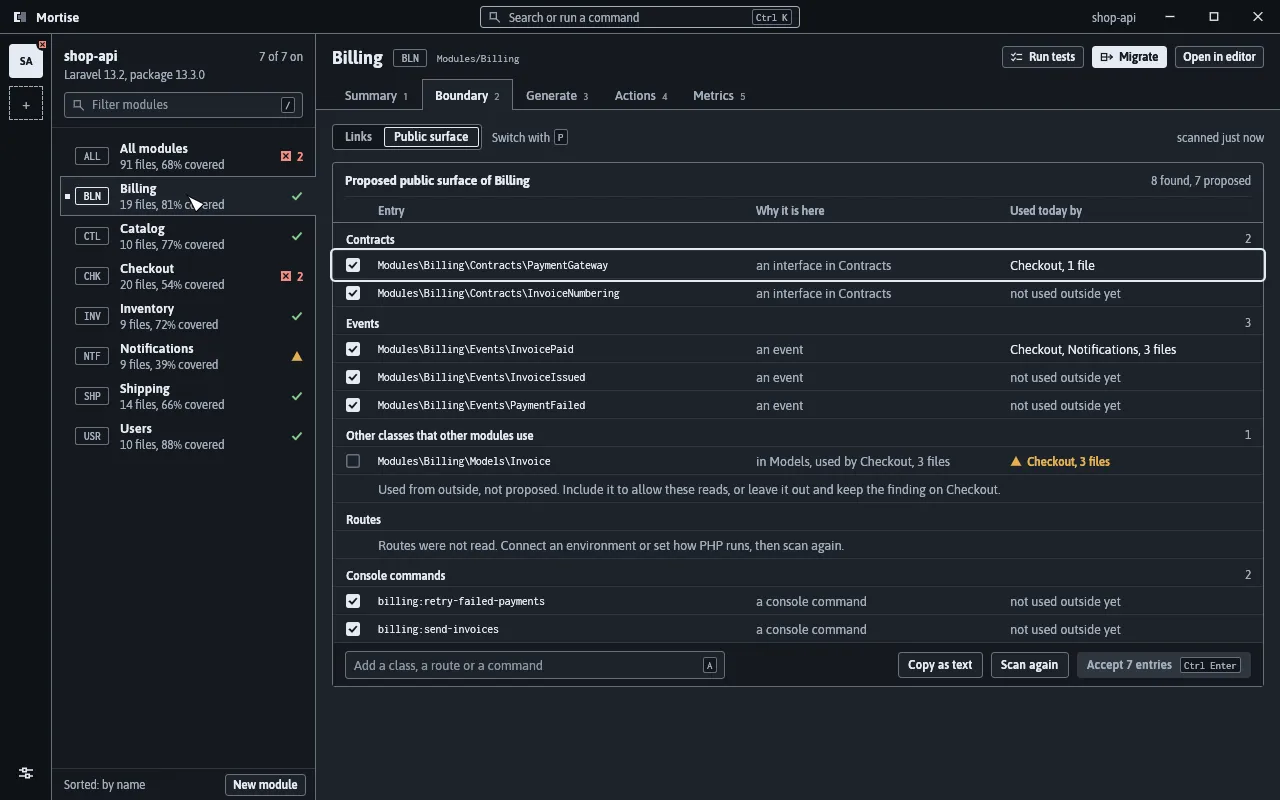
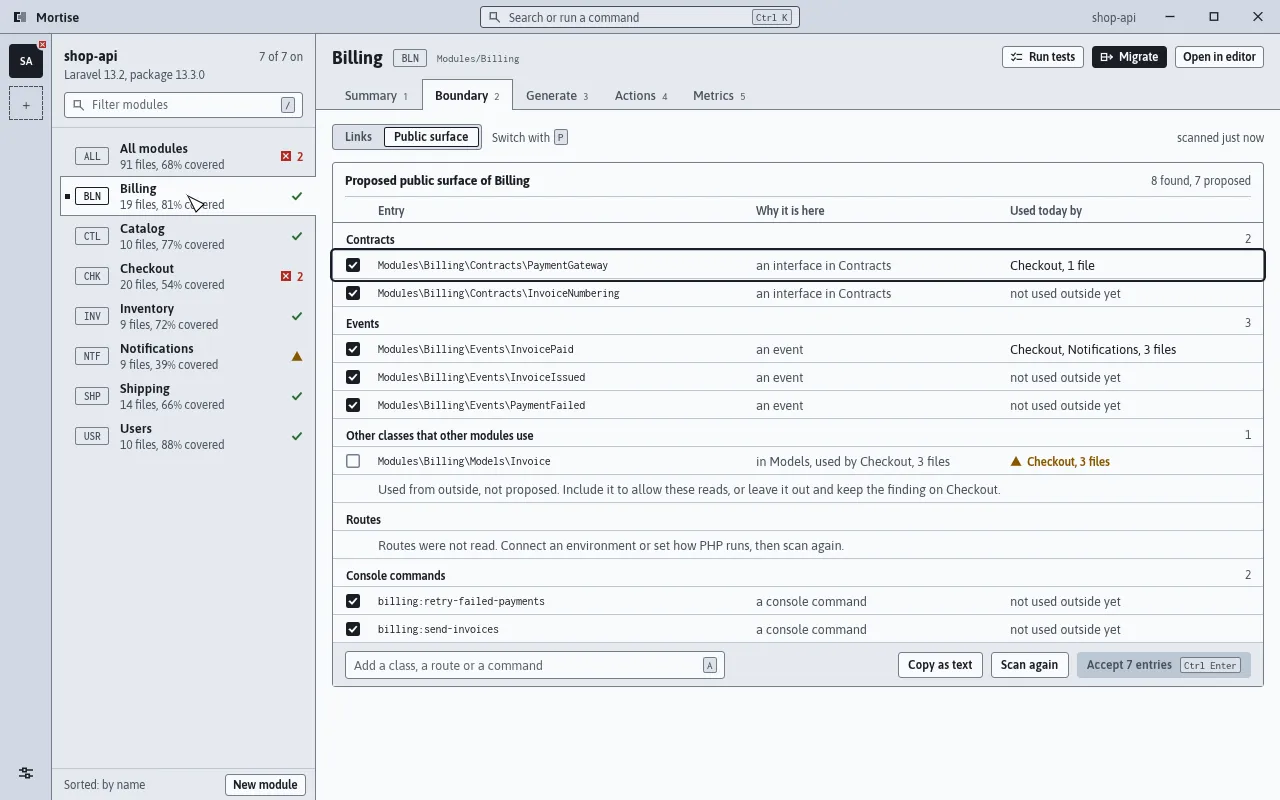
The head reads “Proposed public surface of Billing”, “22 found, 21 proposed” and “scanned just now”. Entries are grouped by kind. The columns are Entry, Why it is here and Used today by.
| Group | Checked at first |
|---|---|
| Classes that other modules use | Contracts and events |
| Other classes that other modules use | No. A class that is used and left out says “Used from outside, not proposed. Include it to allow these reads, or leave it out and keep the finding on Checkout.” |
| “Routes, read from local” | Named routes |
| Console commands | Yes |
Space on a row includes it or leaves it out. J and K move through the entries.
| Control | What it does |
|---|---|
| Add a class, a route or a command (A) | Adds an entry by hand. As you type it says what the name is, such as “A class in Models. Enter adds it.”, or “Nothing in Billing has this name.” |
| Copy as text | Copies the proposal and says “Copied the proposal.” While you change an accepted surface, Keep the accepted surface stands here and goes back to it |
| Scan again | Runs the scan again and keeps your choices where the entry still exists |
| “Accept 21 entries” (Ctrl Enter) | Shows the command that stores the checked entries, then runs it. See Accepting |
A scan that finds nothing says “The scan found no interface, no event and no console command in Billing, and no class that another module uses.”
Accepting
Section titled “Accepting”Mortise does not write module.json itself. Accept runs the package command
module:surface Billing --set --stdin --json through the PHP you chose for the app.
The checked entries go to the command on its standard input, as one JSON object.
First a dialog shows the exact command: “Accept the public surface of Billing?”, the line,
and “Its standard input is the 21 entries, as one JSON object.” The button that goes ahead is Accept 21 entries.
When the command stored the surface, a toast says “Accepted the public surface of Billing: 21 entries.”
and Mortise reads the app again: the rule uses the new surface at once, in the window and in mortise check.
When the answer is too long to keep, a command that ended with 0 counts as stored if module.json holds the surface.
The button is off, with the reason on hover, when:
- the package is older than 13.5: “The package cannot store a public surface yet. nwidart/laravel-modules 13.4.0 has no module:surface; update it to 13.5 or later.”
- no PHP is chosen for the app: “Choose how PHP runs for shop-api in Settings.”
- the app runs another command.
If the command stores nothing, a toast says why, such as “The public surface of Billing was not stored: The package of this app has no module:surface command. Update nwidart/laravel-modules to 13.5 or later, then accept again.”
Accepted
Section titled “Accepted”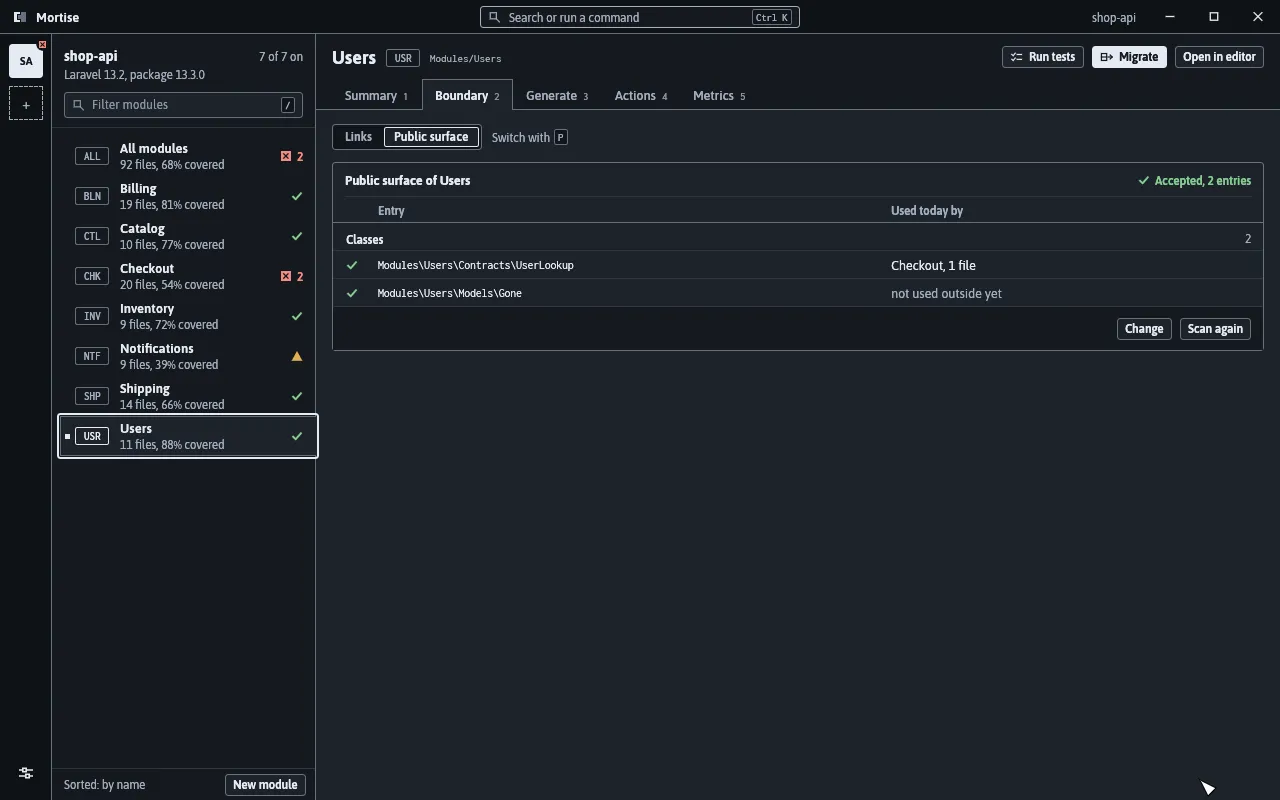
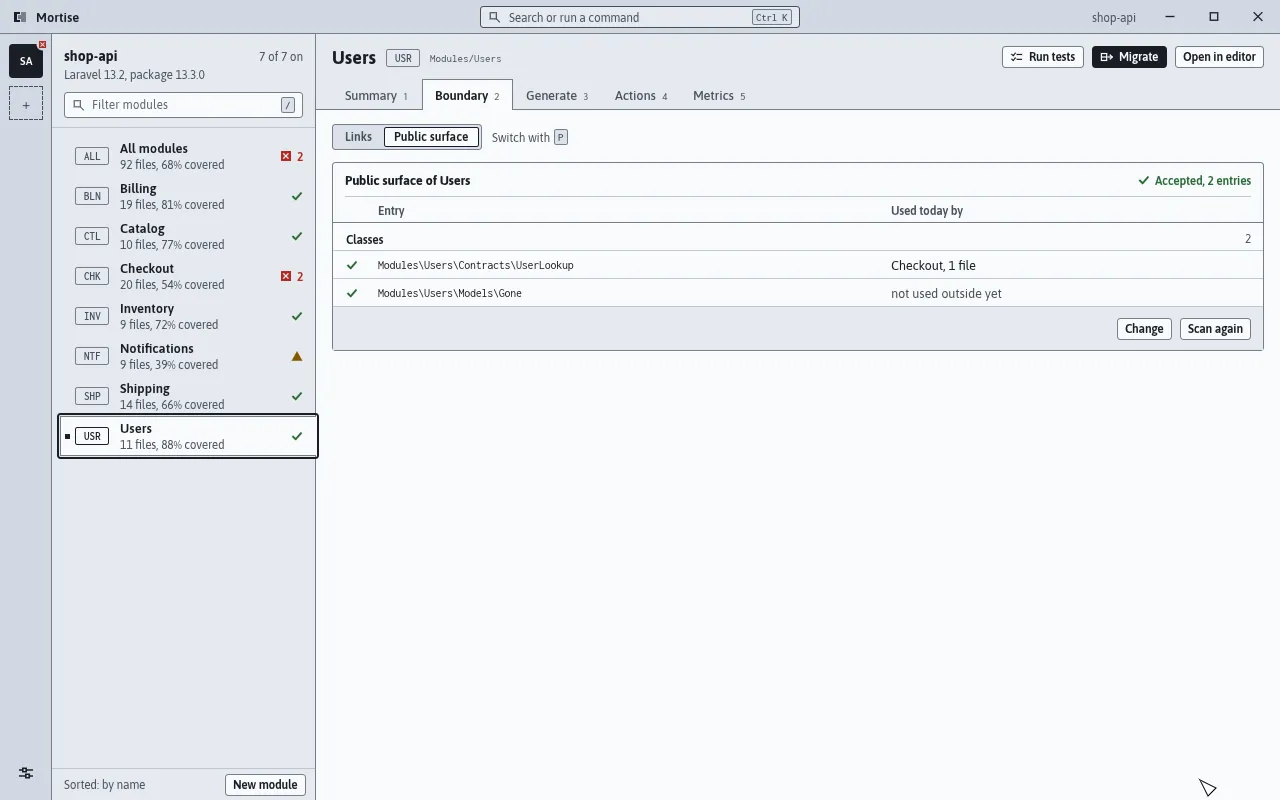
The view of a module with an accepted surface, every time it is opened. The head reads “Public surface of Users” and “Accepted, 2 entries”. The lists are Classes, Routes and Console commands, with the columns Entry and Used today by. A module whose lists are empty reads “Users offers nothing to other modules, HTTP clients or the command line.”
When classes of the module are read from outside and are not in the surface, the foot says so: “Left out: Modules\Billing\Models\Invoice. The 3 files of Checkout that read it stay a finding.”
| Control | What it does |
|---|---|
| Change | Scans the module, then shows the proposal with the accepted entries checked. Accepted routes stay checked when the routes were not read. Scan again in the proposal keeps your choices |
| Scan again | Scans the module and compares it with the surface. Without a difference a toast says “The scan matches the accepted surface.” |
A later scan finds a difference
Section titled “A later scan finds a difference”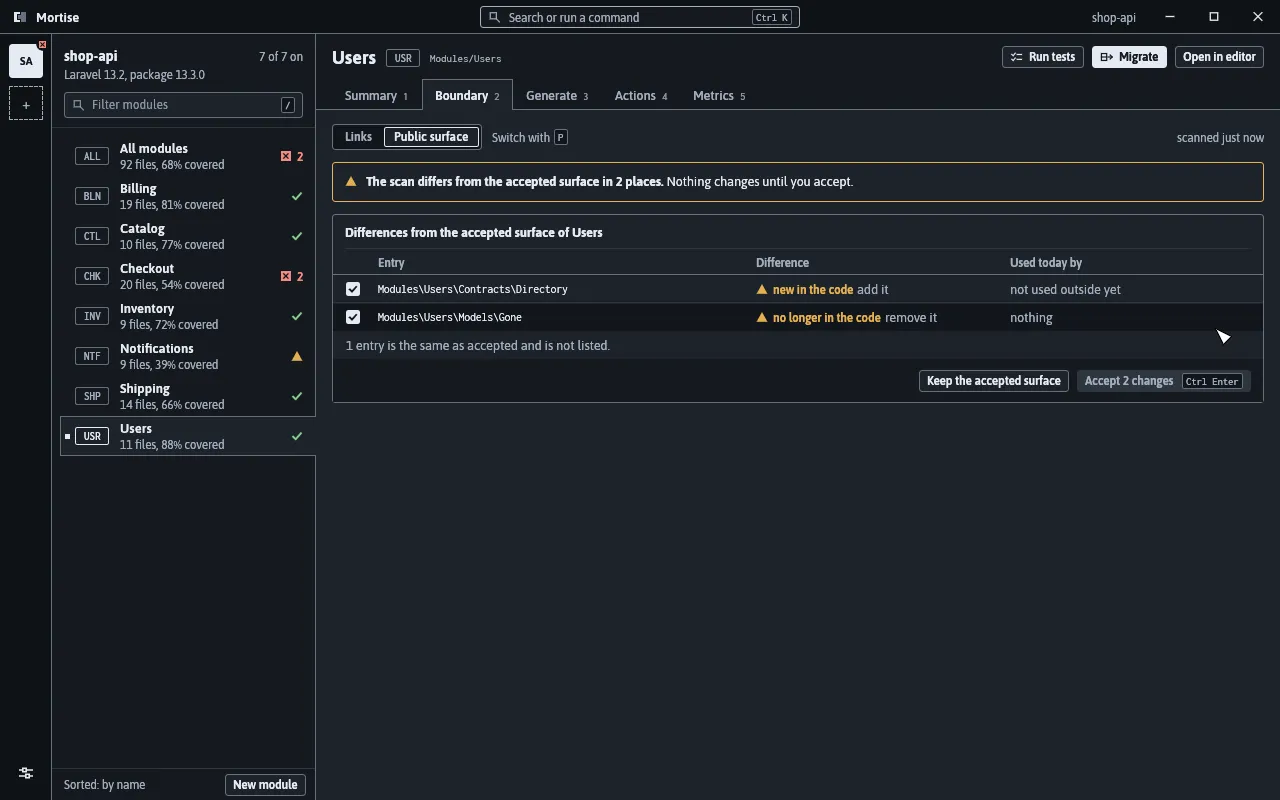
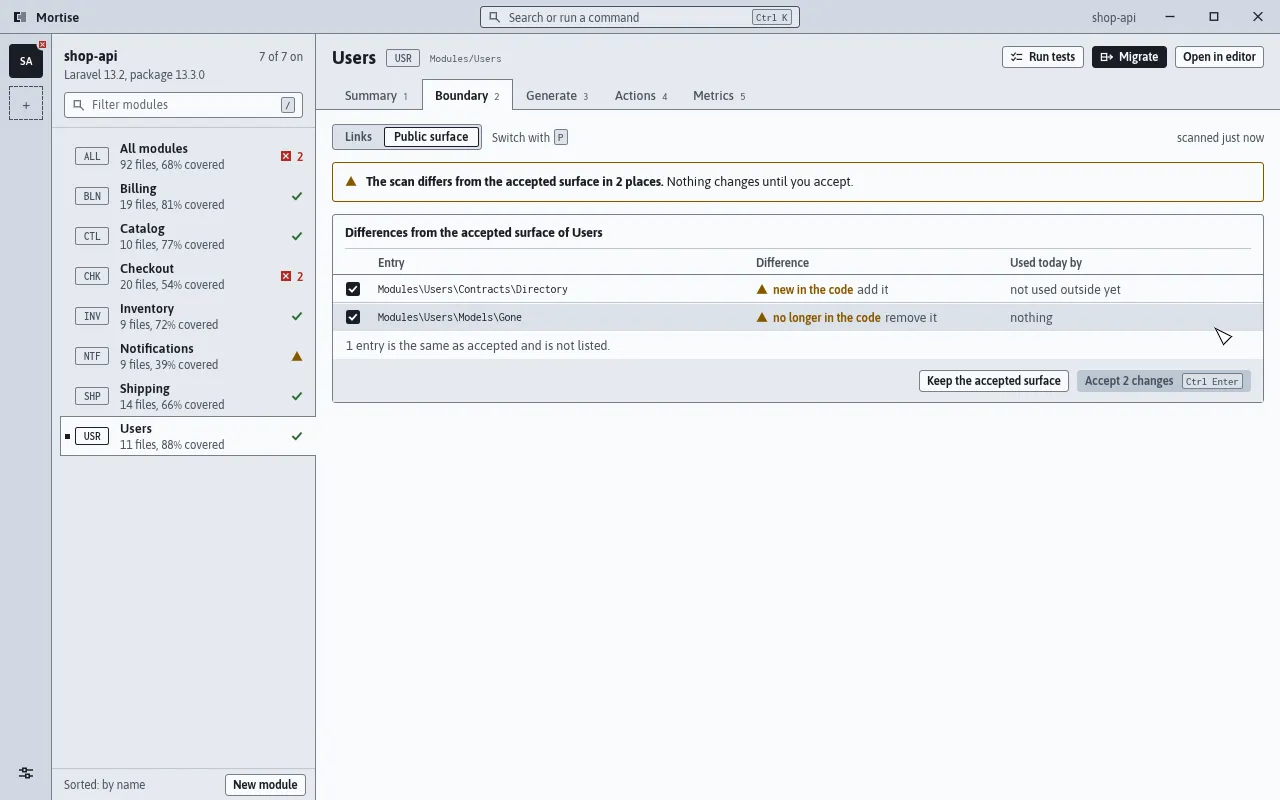
An alert reads “The scan differs from the accepted surface in 2 places. Nothing changes until you accept.” Only the differences are listed, with the columns Entry, Difference and Used today by:
- “new in the code”, “add it”: the scan proposes it and the surface lacks it. A route pattern is new only when one of its routes is not under an accepted route.
- “no longer in the code”, “remove it”: the surface lists it and the module no longer has it. A route counts as gone only when the routes were read.
Each difference is checked. Space or a click leaves one out; that entry keeps its accepted state. A line under the list says how many entries are the same, such as “1 entry is the same as accepted and is not listed.”
| Control | What it does |
|---|---|
| Keep the accepted surface | Goes back to the accepted surface. Nothing runs |
| “Accept 2 changes” (Ctrl Enter) | Stores the surface with the checked changes, as Accepting says |
A difference is shown only after a scan you asked for. It is not a finding.
When module.json changes while the differences are open, the view goes back to the accepted surface.
The steps are in How to scan the public surface.