
Actions tab
The Actions tab is tab 4 of the workspace. Press 4 in the main window to open it. It runs the package’s commands for the selected module, or for All modules.
Layout
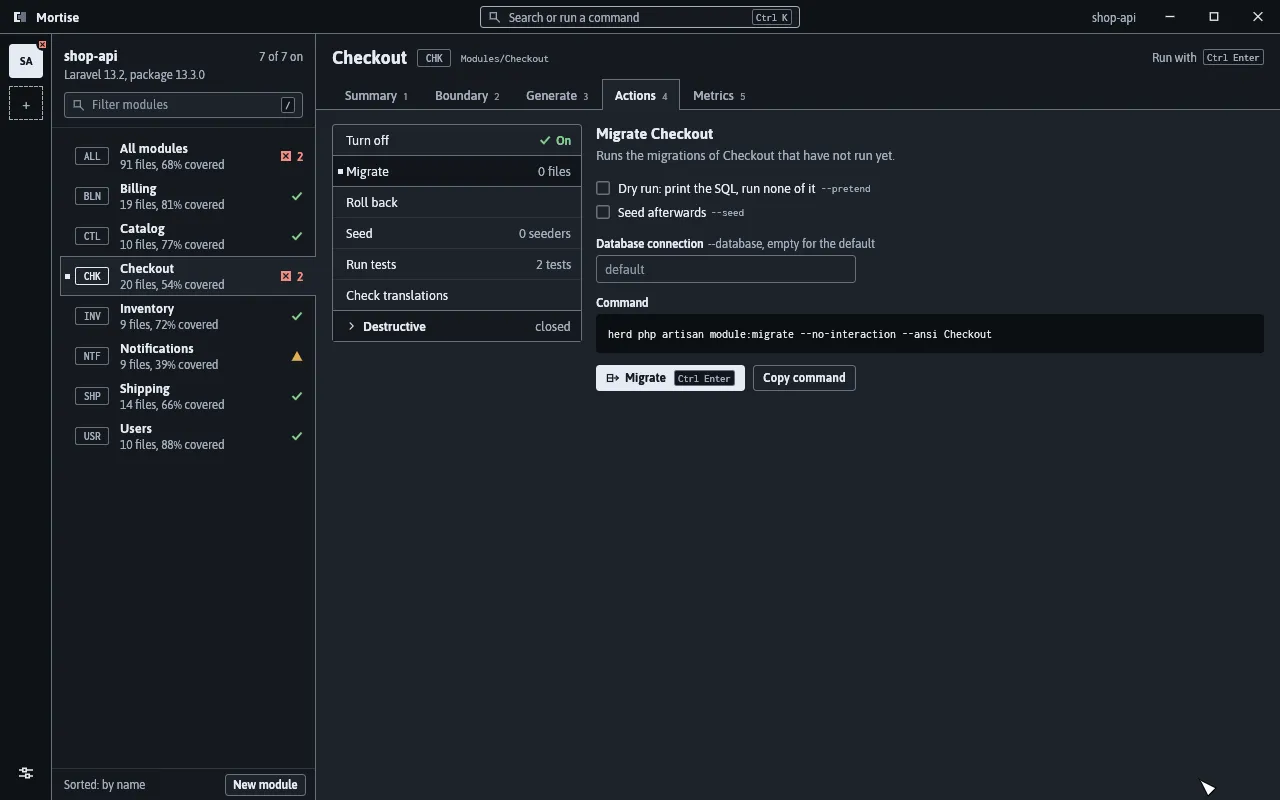
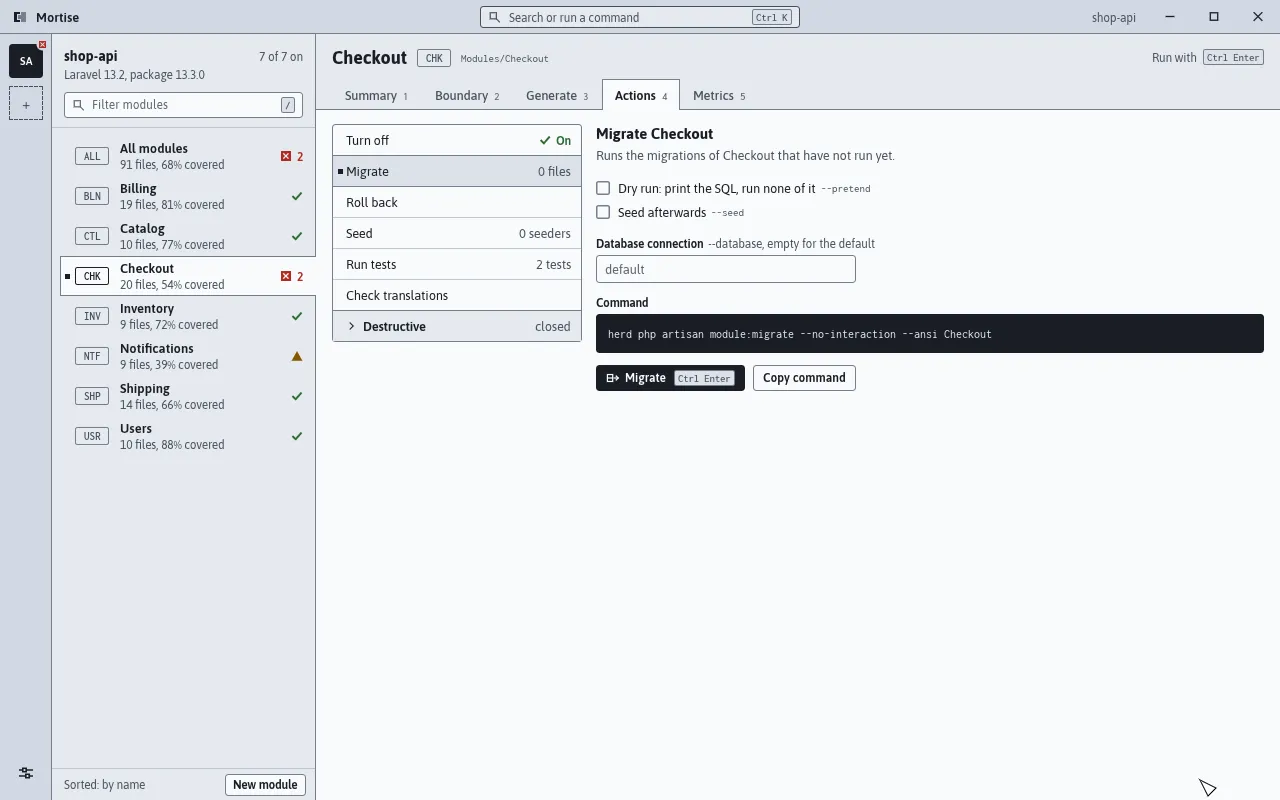
Section titled “Layout”- On the left, a list of the actions. The first rows are the everyday actions. Under them is the group Destructive, which is closed until you open it.
- On the right, the selected action: its title, a sentence on what it does, its options, the line under Command, and the buttons.
- The line under Command is the exact line the run button starts. It holds the prefix of the
runner of the app and
--no-interaction --ansi, for exampleherd php artisan module:migrate --no-interaction --ansi Checkout. It is quoted for the shell of the platform: POSIX quoting on macOS and Linux, PowerShell quoting on Windows. - With no runner chosen for the app, the line reads
php artisanand the words, and the run button is off.
| Keys | Does |
|---|---|
| Ctrl Enter (Cmd Enter on macOS) | Runs the selected action. It runs only a line that was whole on screen in the last frame. |
| Ctrl Shift C (Cmd Shift C on macOS) | Copies the command. |
| J K or Down Up | Moves in the list. |
While a command runs in the app, the run button is off with the tooltip “<command> is running”.
Mortise runs one command at a time per app.
Everyday actions
Section titled “Everyday actions”A module shows six actions. The first is Turn off when the module is on, else Turn on. All modules shows four: Migrate, Seed, Run tests and Check translations.
| Action | Command for a module | Command for all modules | Options | Asks first |
|---|---|---|---|---|
| Turn on | module:enable <Module> |
none | none | Never |
| Turn off | module:disable <Module> |
none | none | When modules that are on use the module |
| Migrate | module:migrate <Module> |
module:migrate --all |
--pretend, --seed, --database (module only) |
In production |
| Roll back | module:migrate-rollback <Module> |
none | --pretend |
Always, except a dry run outside production |
| Seed | module:seed <Module> |
module:seed --all |
--database, --class |
In production |
| Run tests | module:test <Module> on 13.4 and later |
module:test --all on 13.4 and later |
--filter, --parallel (13.4 and later) |
Never |
| Check translations | module:lang <Module> |
module:lang --all |
none | Never |
In the list, All modules labels its rows Migrate all modules, Seed all modules and Run all module tests.
On a package with version 13.4.0 or later, Run tests and Check translations also carry --json.
Mortise reads the answer of the package from it. See Package versions.
Before 13.4, the package has no command for the tests of one module. Run tests then shows the
placeholder [the package's command for the tests of one module] and the sentence
“The package has no command for the tests of one module yet.” It runs nothing.
Options
Section titled “Options”The options of an action, as the panel labels them, and the word each adds to the command.
| Label | Word | Actions |
|---|---|---|
| Dry run: print the SQL, run none of it | --pretend |
Migrate, Roll back, Reset migrations |
| Seed afterwards | --seed |
Migrate, Refresh migrations, Drop all tables and migrate |
| Database connection | --database=<value> |
Migrate of one module, Seed, Reset, Refresh, Drop all tables and migrate |
| Seeder class | --class=<value> |
Seed |
| Filter, a test name or pattern | --filter=<value> |
Run tests, 13.4 and later |
| Run in parallel | --parallel |
Run tests, 13.4 and later |
| Also drop views | --drop-views |
Drop all tables and migrate |
| Also drop types | --drop-types |
Drop all tables and migrate. Postgres only |
Rules for the words:
- A text option is trimmed and becomes one word, such as
--database=testing. An empty one is left out. - A dry run of Migrate leaves out
--seed, because the package seeds after a pretend migrate. - A module name that starts with
-goes last, after--, so artisan does not read it as an option. --forceis added only where the package asks for confirmation and Mortise has asked you first.
Destructive actions
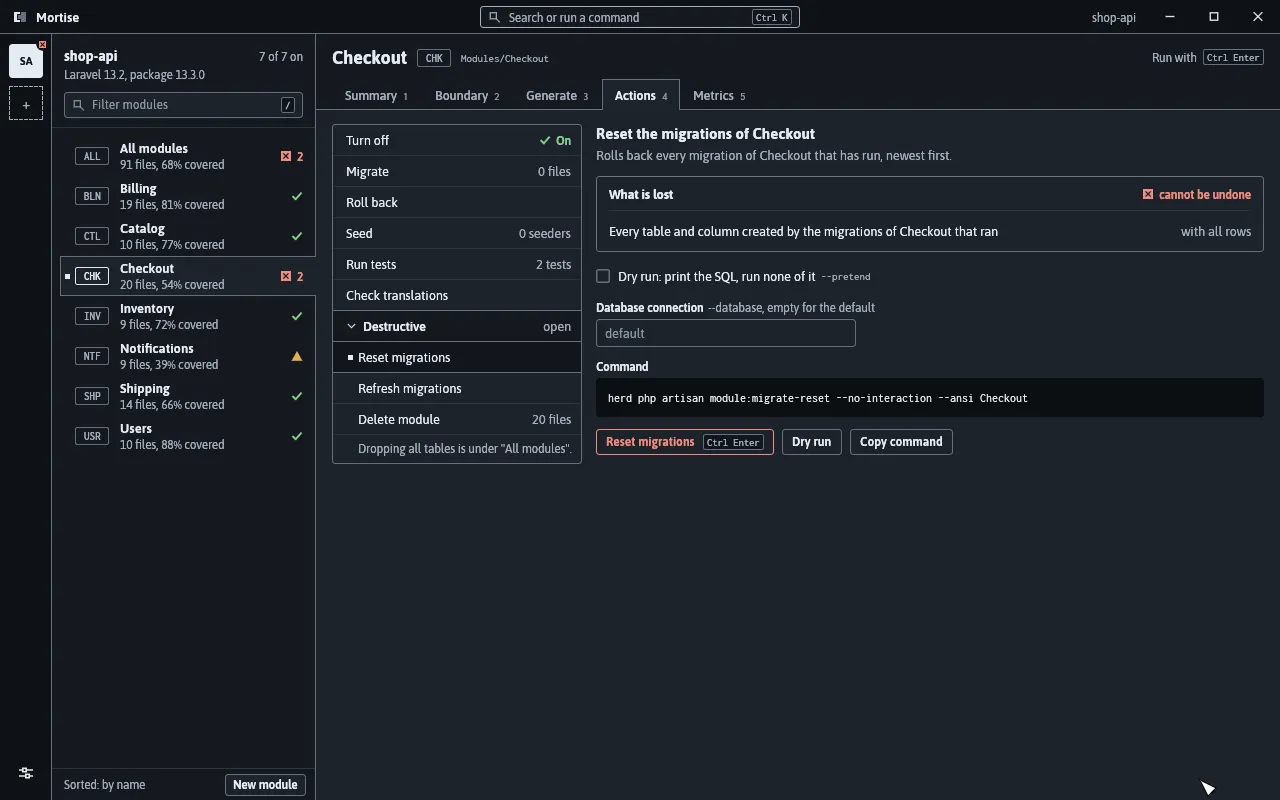
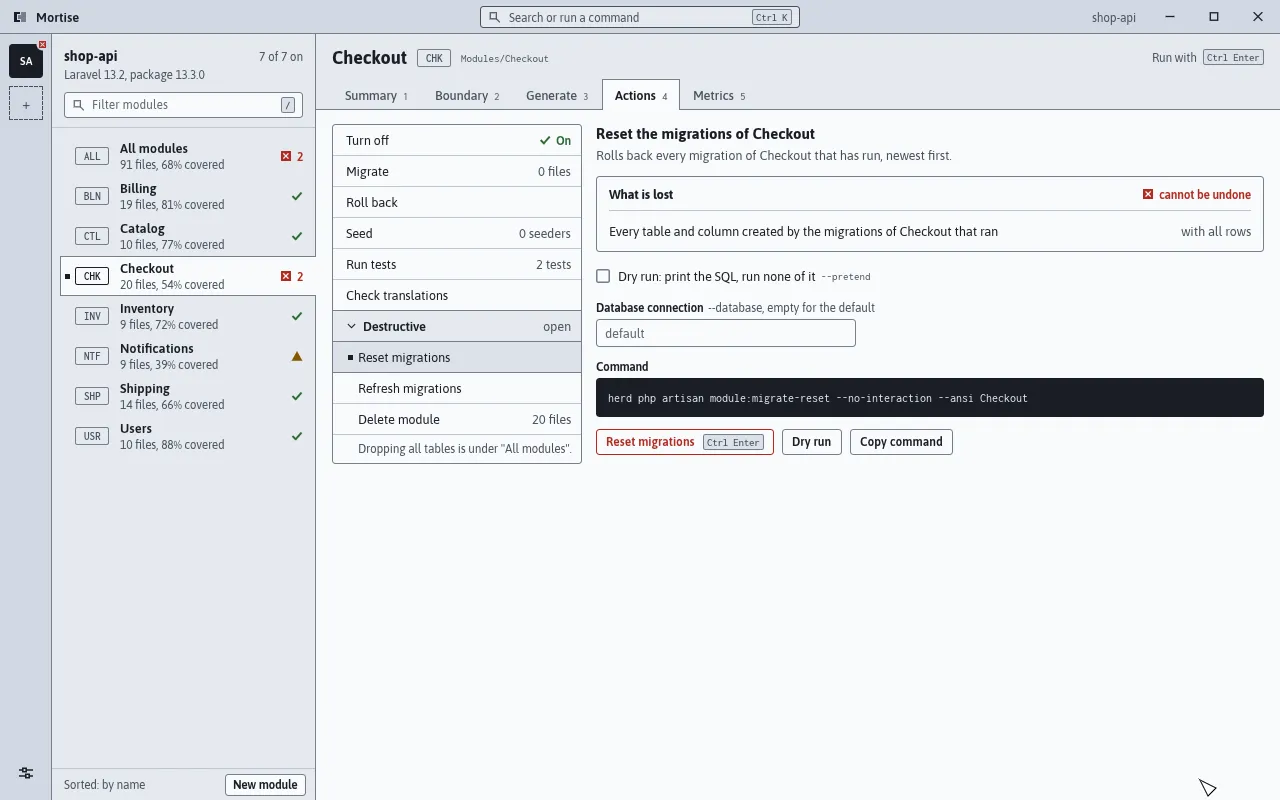
Section titled “Destructive actions”The group Destructive holds the actions that lose data. It is closed by default. Reset, refresh and delete belong to one module. Drop all tables and migrate belongs to All modules, because it drops every table.
| Action | Command | Target | Options | Question |
|---|---|---|---|---|
| Reset migrations | module:migrate-reset <Module> |
One module | --pretend, --database |
A dialog that names the tables. A dry run asks nothing |
| Refresh migrations | module:migrate-refresh <Module> |
One module | --seed, --database |
A dialog that names the tables. The command has no dry run |
| Delete module | module:delete <Module> --force |
One module | none | You type the module name |
| Drop all tables and migrate | module:migrate-fresh --all |
All modules | --seed, --drop-views, --drop-types, --database |
You type the app name. The command refuses a dry run |
Each destructive action shows a box What is lost, and what stays.
The package always asks before module:delete, so Mortise asks, then passes --force.
The dialogs
Section titled “The dialogs”Focus starts on Cancel in every dialog, so Enter never confirms an action.
| Question | Title | Confirm button |
|---|---|---|
| Turn off a module that others use | Turn off <Module>? |
Turn off <Module> |
| Roll back | Roll back <Module>? |
Roll back, or Roll back <n> migrations with the migration state. Dry run sits on the left |
| Migrate or Seed in production | Migrate <Module> in production? or Seed <Module> in production? |
Migrate in production or Seed in production |
| Reset | Reset the migrations of <Module>? |
Reset migrations, or Reset <n> migrations with the migration state. Dry run sits on the left |
| Refresh | Refresh the migrations of <Module>? |
Refresh migrations, or Refresh <n> migrations with the migration state |
| Drop all tables | Drop all tables of <app>? |
Drop all tables and migrate |
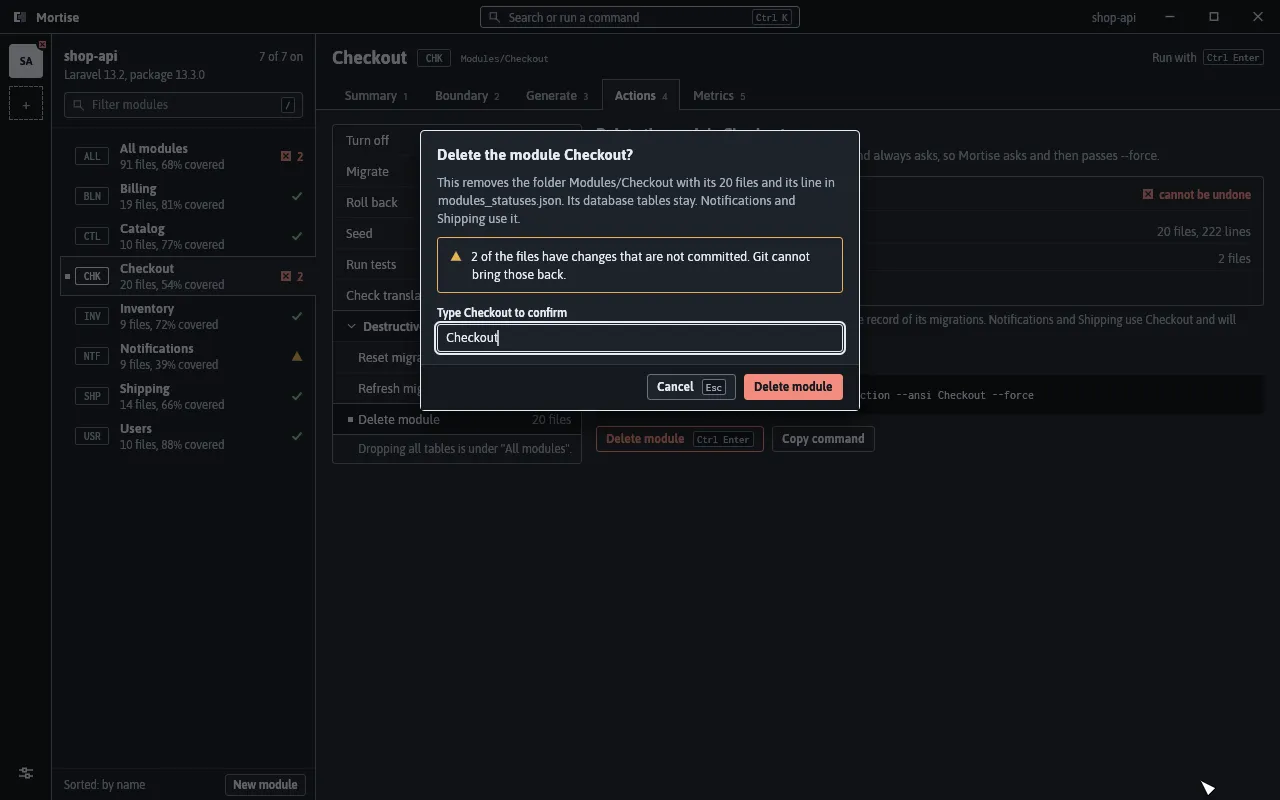
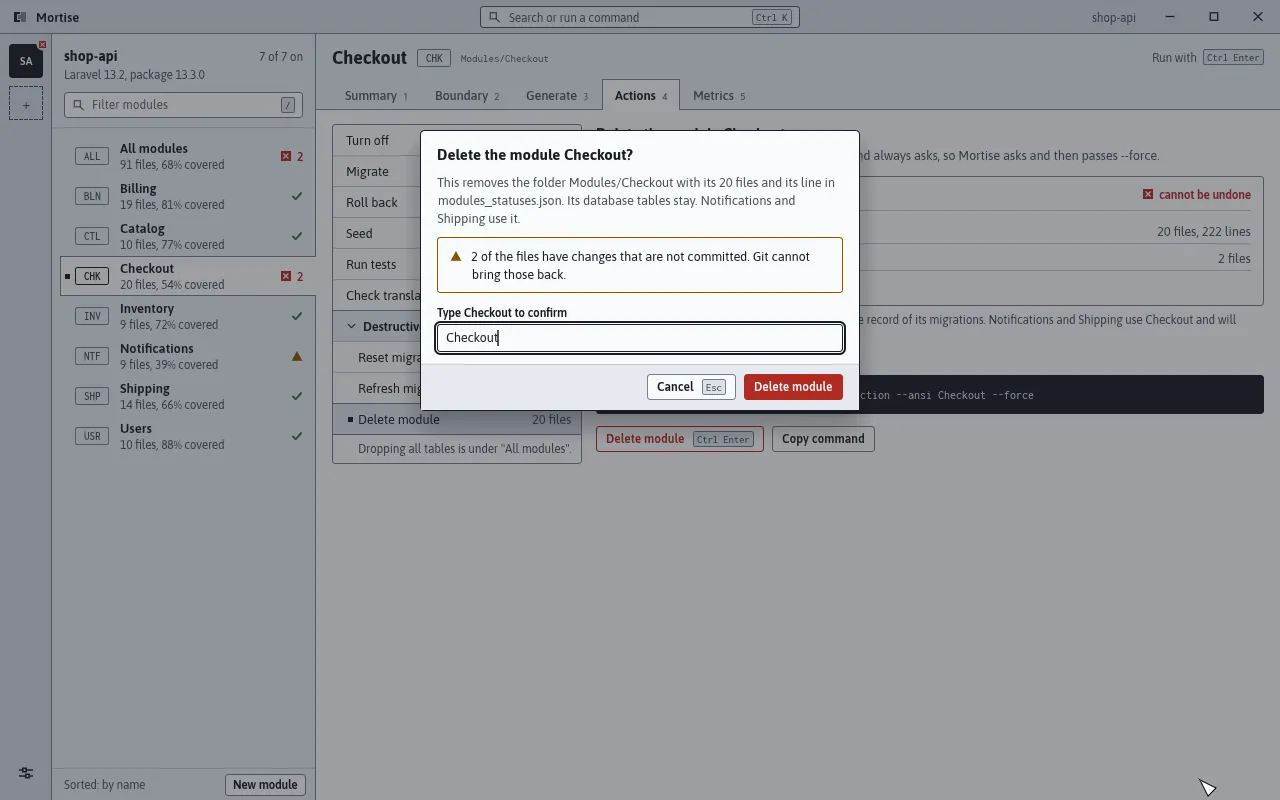
| Delete | Delete the module <Module>? |
Delete module |
With the migration state of 13.4 and later, the dialogs of roll back, reset and refresh list the migrations of the last batch or the tables that change. Without it, they leave the list out.
Typed confirmations
Section titled “Typed confirmations”Drop all tables and migrate and Delete module ask you to type a name: “Type <name> to confirm”.
- Drop all tables and migrate asks for the name of the app, as Mortise shows it.
- Delete module asks for the name of the module.
- The text must match exactly: same case, no space trimmed. An empty text never matches.
- The confirm button stays off until the name matches.
The delete dialog names the folder, its count of files, and its line in the statuses file of the package. It says which modules that are on use the module. It also says how many files have changes that are not committed to git, or that Mortise cannot tell.
Run again
Section titled “Run again”Run again in the runner drawer or in History asks again before a line it asked about the
first time: a command with --force, a roll back or reset that is not a dry run, and every refresh,
fresh and delete. The destructive ones open their full dialog, with the typed name.
The production rule
Section titled “The production rule”Mortise reads APP_ENV from the .env file of the app. APP_URL and APP_ENV are the only lines
it reads from that file. The app is in production when APP_ENV is production, exactly.
In production:
- Migrate, Seed and Roll back ask first. The command runs with
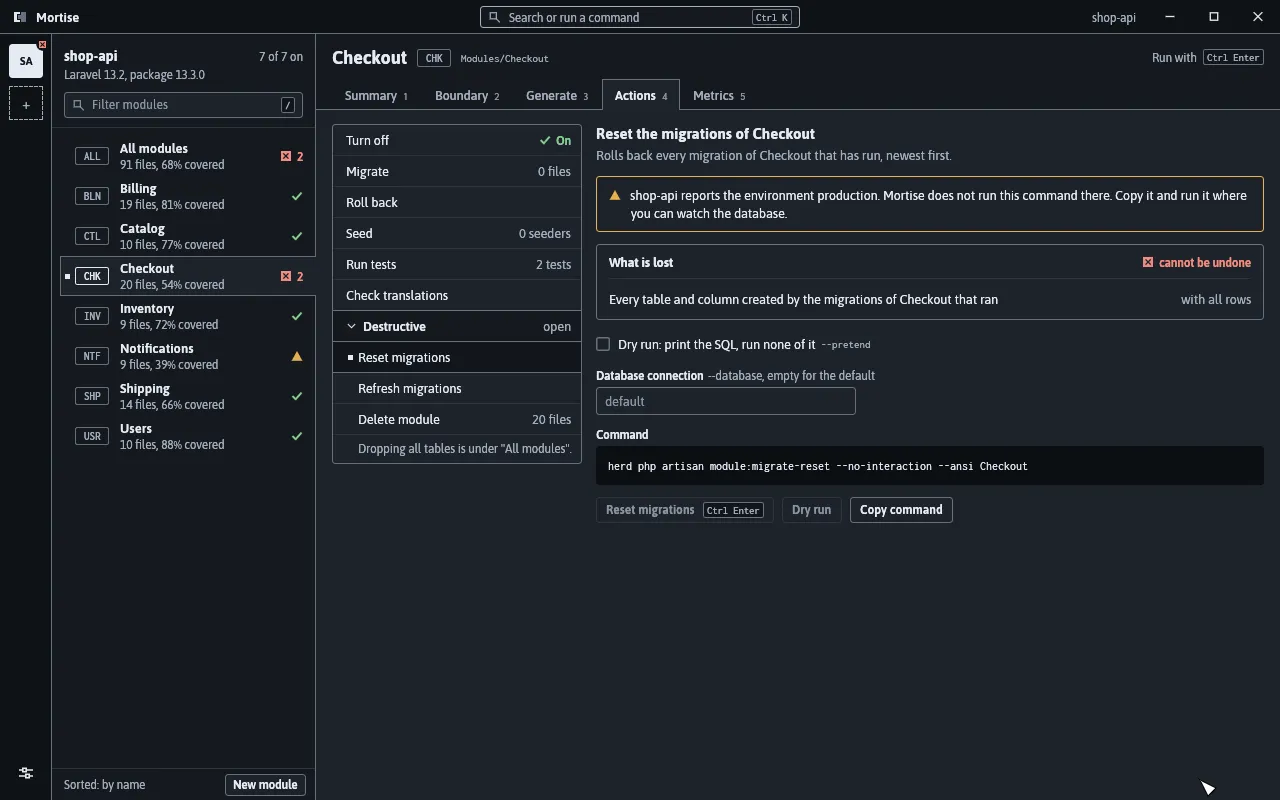
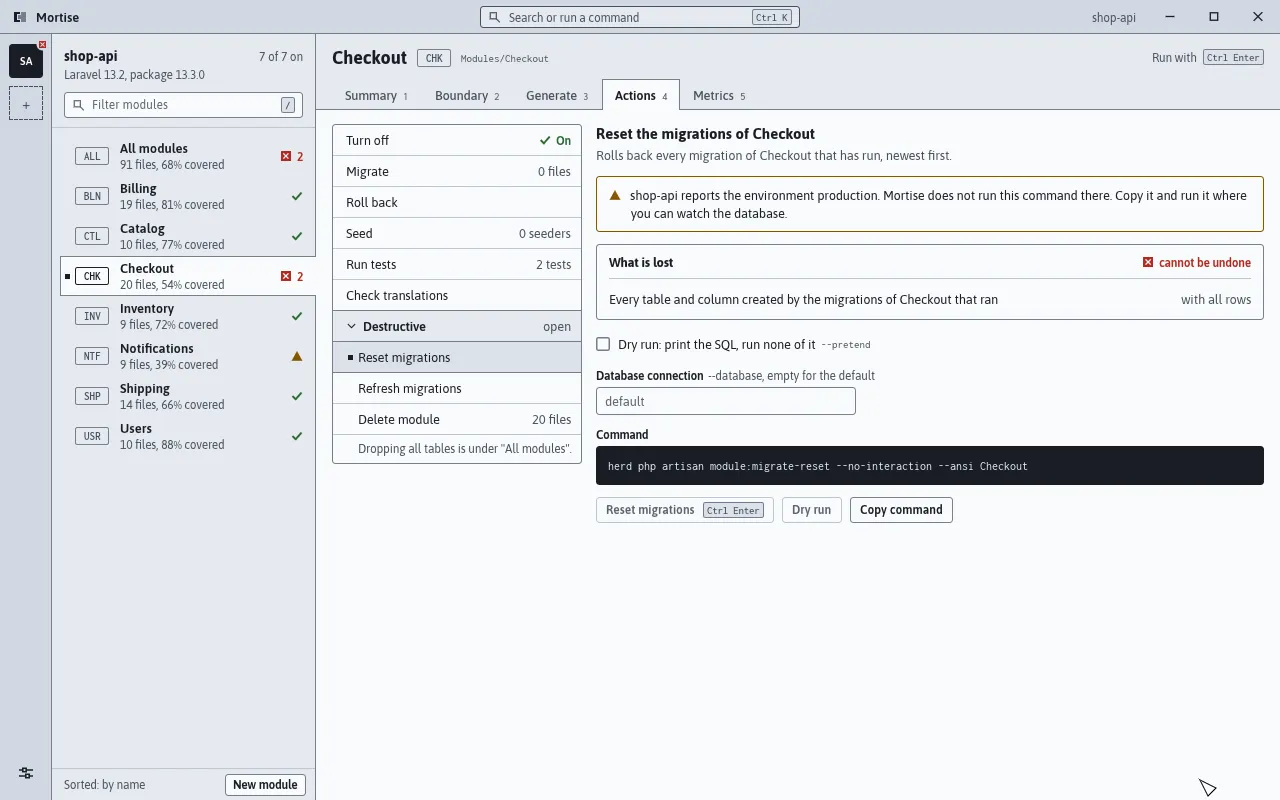
--force, because the package asks for confirmation in production. - Reset migrations, Refresh migrations, Drop all tables and migrate and Delete module
do not run. Mortise shows the line and offers Copy command only. The panel says:
“
<app>reports the environment production. Mortise does not run this command there. Copy it and run it where you can watch the database.” - Mortise reads
APP_ENVagain just before a destructive command starts. - Run again of a destructive command in production runs nothing. It opens the Actions tab on that action, where you can copy the line.
Delete module is also refused when Mortise cannot read where the app keeps its modules. The package could then delete another folder than the one on screen. Mortise shows the line to copy.
After a run
Section titled “After a run”A run ends with a toast, such as “Migrated Checkout: 1 migration ran.” or “Turned off Checkout.” The output shows in the runner drawer. On 13.4 and later, Mortise forgets the migration state that a migrate, roll back, reset, refresh or fresh may have changed. A dry run keeps it.