
Keyboard
Shortcuts are fixed in this version. They cannot be changed. On macOS Cmd takes the place of Ctrl, and Option the place of Alt, with one exception: the runner drawer key stays Ctrl `, because Cmd ` cycles windows on macOS.
Anywhere
Section titled “Anywhere”| Does | macOS | Windows and Linux |
|---|---|---|
| Open or close the command palette | Cmd K | Ctrl K |
| Show or hide the runner drawer | Ctrl ` or Cmd J | Ctrl ` or Ctrl J |
| Collapse or open the module index | Cmd B | Ctrl B |
| Select app 1 to 9 on the rail | Cmd Option 1 to 9 | Ctrl Alt 1 to 9 |
| Add app | Cmd O | Ctrl O |
| New module | Cmd N | Ctrl N |
| Settings | Cmd , | Ctrl , |
| Read the app again, from disk and from the actuator | Cmd R | Ctrl R |
| Stop the running command | Cmd . | Ctrl . |
| Close the topmost thing | Esc | Esc |
| Move focus to the next or previous region | F6, Shift F6 | F6, Shift F6 |
Add app opens the folder dialog of the operating system at once. New module opens the new module form; nothing runs. Stop the running command asks first when the command is a migration, which can leave the database between two states. See Runner.
The regions for F6 are the rail, the module index, the workspace and, while it is open, the runner drawer.
Main window
Section titled “Main window”These keys act while no text field has focus.
| Does | macOS | Windows and Linux |
|---|---|---|
| Next or previous module | J K or Down Up | J K or Down Up |
| First or last row of the index | Home End | Home End |
| Filter modules | / or Cmd F | / or Ctrl F |
| Change the order of the index | S | S |
| Summary, Boundary, Generate, Actions, Metrics | 1 2 3 4 5 | 1 2 3 4 5 |
| Generate, with the generator filter focused | G | G |
| Findings list of the app | F | F |
| Open the selected module in the editor | E | E |
| Show the shortcuts | ? | ? |
Cmd F or Ctrl F also works where / needs Shift. Enter in the filter keeps the first match and gives the keys back to the list. Down, Up, Home and End move in the index while it has focus. A list or table that has focus keeps J and K for itself.
Parts of the window
Section titled “Parts of the window”| Does | macOS | Windows and Linux | Where |
|---|---|---|---|
| Move focus into the workspace | Enter or Right | Enter or Right | Module index |
| Set the width of the index | Left Right | Left Right | Edge of the module index |
| Move an app on the rail | Option Up, Option Down | Alt Up, Alt Down | Rail |
| Move in a table or list | J K or Down Up | J K or Down Up | Workspace |
| Change a segmented control or the tab | Left Right | Left Right | Workspace |
| Run the generator or the action | Cmd Enter | Ctrl Enter | Workspace |
| Copy the command | Cmd Shift C | Ctrl Shift C | Workspace |
| Switch between Links and Public surface | P | P | Boundary, one module |
| Scan the public surface | Cmd Enter | Ctrl Enter | Boundary, Public surface |
| Add an entry to the proposal by hand | A | A | Boundary, Public surface |
| Move, run, close | Up Down Enter Esc | Up Down Enter Esc | Command palette |
| Search in the next app | Tab | Tab | Command palette |
| Run the last command again | Cmd Shift R | Ctrl Shift R | Runner drawer |
| Show the history | Cmd Shift H | Ctrl Shift H | Runner drawer |
| Copy the output | Cmd Shift O | Ctrl Shift O | Runner drawer |
| Press the focused button, cancel | Enter Esc | Enter Esc | Dialog |
Space takes an entry of the public surface proposal in or out.
What Esc closes
Section titled “What Esc closes”Esc closes the topmost thing, in this order:
- A dialog.
- The command palette.
- The panel that adds an app.
- The message (toast).
- Settings. In a field of Settings, the first Esc leaves the field and the next one closes Settings.
- A scan of the public surface that is on screen: Esc stops it.
- The filter of the generator picker on the Generate tab.
- The text of the module filter, then the filter field itself.
- The Findings list, back to the Summary.
When keys rest
Section titled “When keys rest”- A dialog, the command palette and the add panel hold the keys until they close.
- While Settings are open, the keys of the main window rest until Esc.
- Single keys, such as J, S or 1, never act while a text field has focus. The drawer keys, Ctrl Shift R, Ctrl Shift H, Ctrl Shift O and Ctrl . do not act while you type either.
Settings > Keyboard
Section titled “Settings > Keyboard”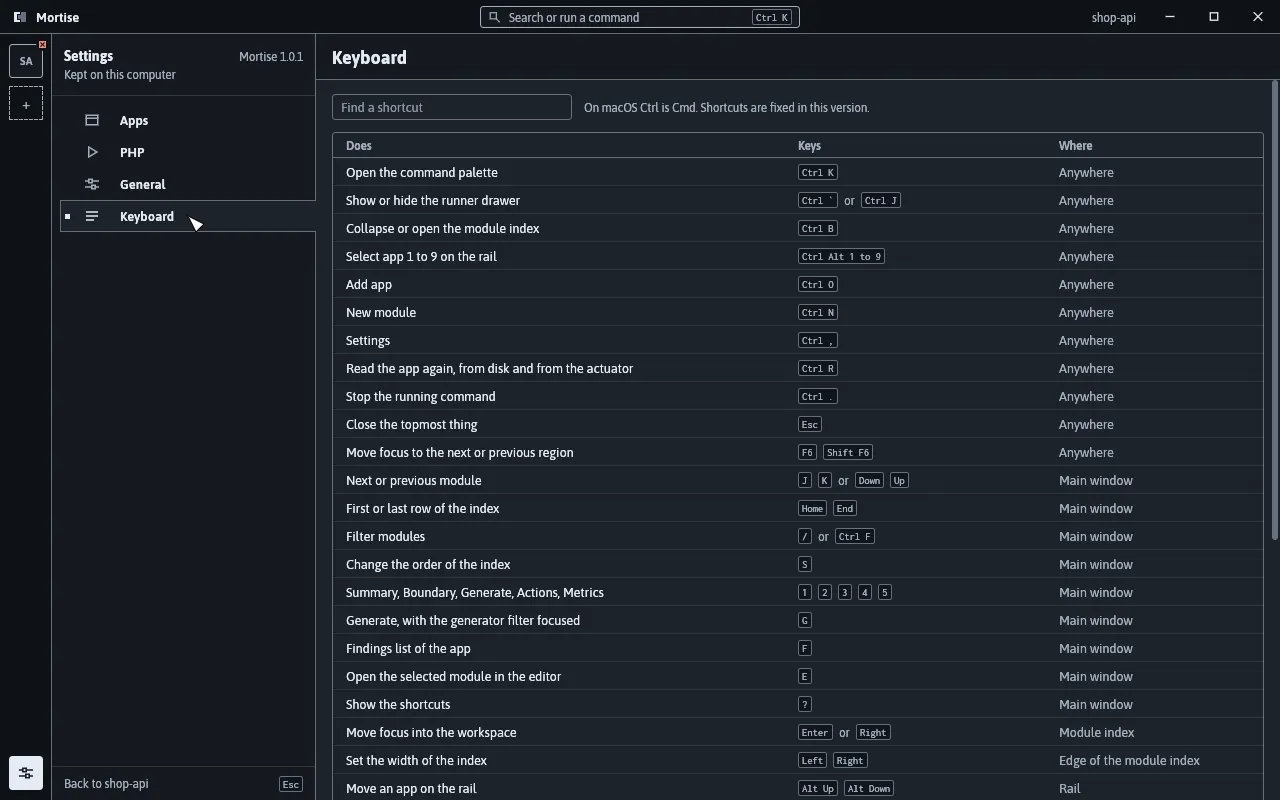
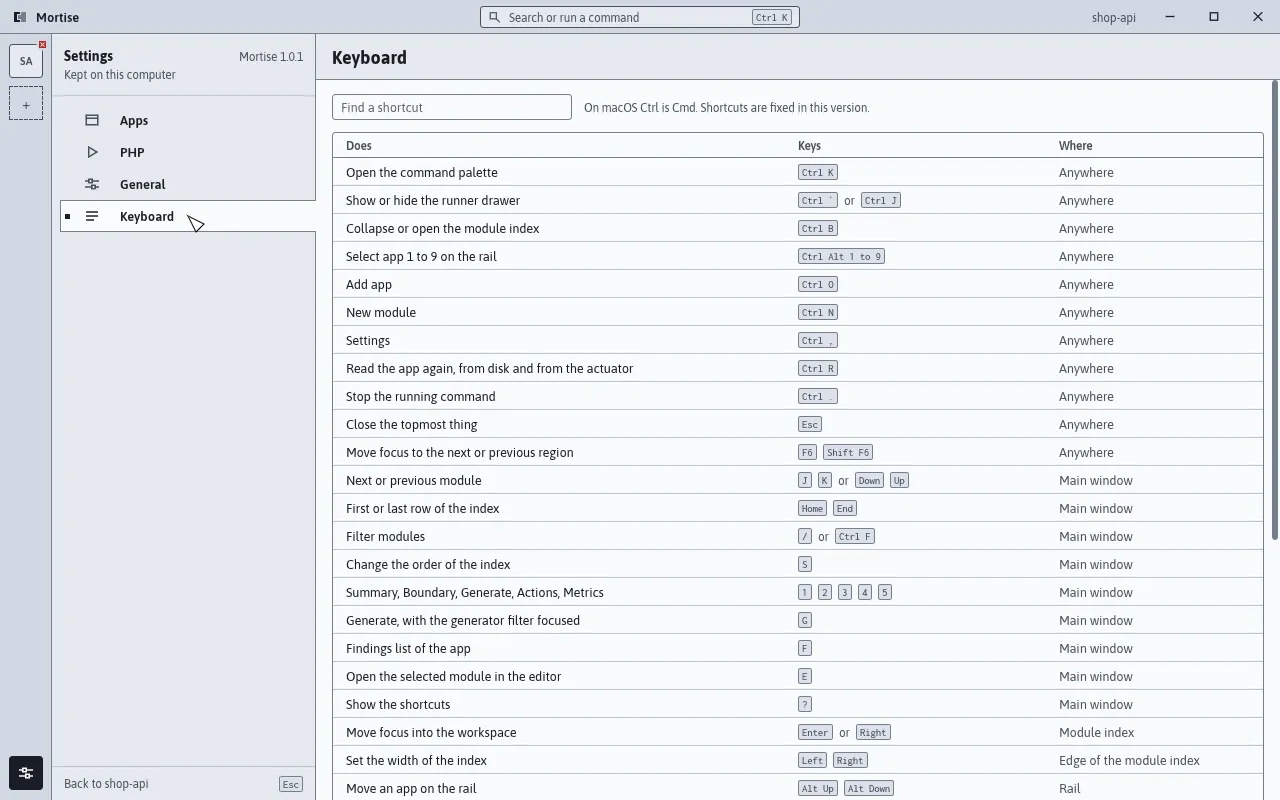
The Keyboard section of Settings lists every shortcut above. ? opens it, and so does Help > Keyboard Shortcuts on macOS.
| Part | What it is |
|---|---|
| Find a shortcut | A field that filters the list. The count reads “3 of 12 shown.” |
| Note | “On macOS Ctrl is Cmd. Shortcuts are fixed in this version.” |
| Does | What the shortcut does |
| Keys | Its keys, written as they are pressed on the platform the app runs on |
| Where | Anywhere, Main window, or the part of the window |